The box said “weeks of battery life.” You’ve had it four days and it’s asking for a charge. That mismatch is the most common complaint we hear, and it isn’t usually a faulty device.
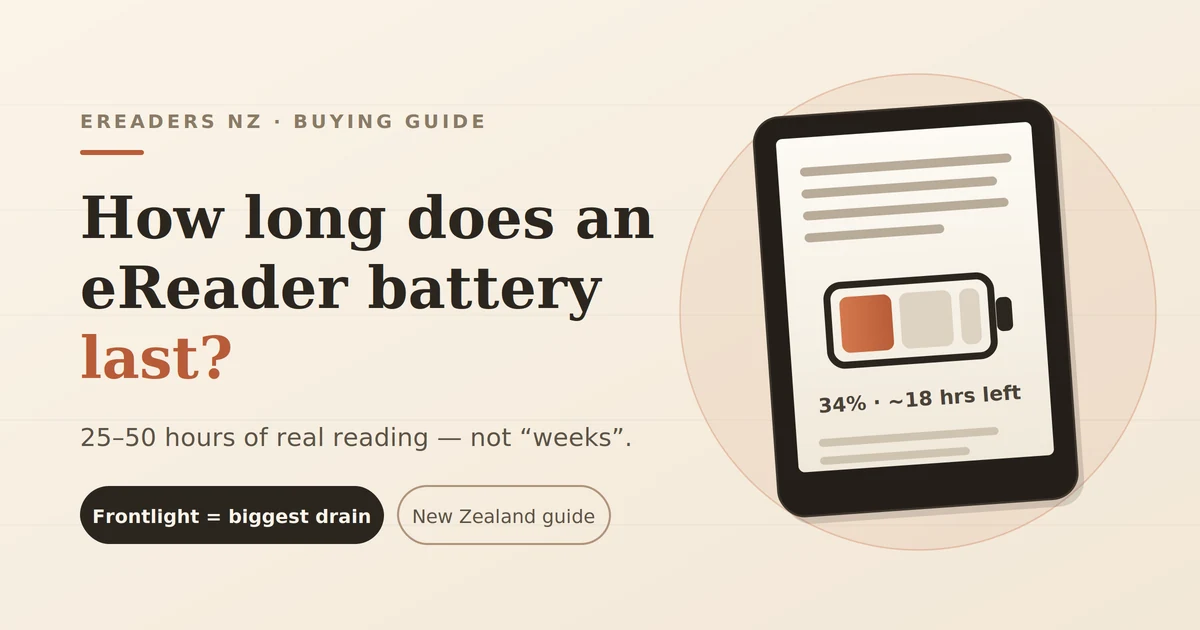
How long an ereader battery lasts is better measured in reading hours than in weeks, because a week means nothing without knowing how much you read and what the screen light was doing. Most E Ink readers sold in New Zealand will give you somewhere between 25 and 50 hours of actual page-turning per charge. Android-based devices land lower. Here’s what drives the difference, and what you can change.
How long does an eReader battery last in real reading hours?
A modern E Ink reader typically delivers 25–50 hours of actual reading per charge. A simple 6-inch reader with the light off sits at the top of that range. A larger colour or note-taking device with the light at half brightness sits near the bottom sometimes below it.
Run the maths on your own habit and the marketing claim stops feeling like a lie:
- 30 minutes a day at 40 hours of capacity ≈ 11 weeks
- 1 hour a day ≈ 5–6 weeks
- 2 hours a day with the light on ≈ 10–14 days
- 3 hours a day of PDFs or comics with Wi-Fi on ≈ 4–6 days
Same device. Same battery. Four different answers, and every one of them is accurate.
Why manufacturers quote weeks instead of hours
Battery claims are produced under controlled conditions that almost nobody reproduces at home: roughly 30 minutes of reading a day, frontlight off or very low, Wi-Fi off, no apps running, plain text rather than PDFs. The number is real. The conditions are optimistic.
This isn’t unique to e-readers phone and laptop makers do the same thing. But it bites harder here, because E Ink’s genuine advantage gets oversold. The screen itself draws power only when the page changes. Leave a page open for an hour and it costs you essentially nothing. Everything else on the device is ordinary electronics, and ordinary electronics drink.
So when a spec sheet says “weeks,” read it as: the screen is efficient, and the rest depends on you.
What actually drains an eReader battery
Four things account for nearly all real-world drain: the frontlight, wireless radios, background software, and heavy page content. Ranked by impact on a typical New Zealand reader’s device, the frontlight is the clear winner it can more than halve your hours on its own.
The frontlight (and warm light)
The LEDs around the edge of the screen run continuously while the device is awake. Unlike the E Ink panel, they don’t care whether you’re turning pages. An hour at 60% brightness costs far more than an hour at 10%.
Warm light compounds it. Many devices use a second set of amber LEDs, so a warm night-reading setting can have both arrays lit at once.
Practical version: if you read outdoors or under a decent lamp, turn the light off entirely. E Ink is the one screen type that gets easier to read in Auckland summer sun.
Wi-Fi, Bluetooth and background sync
Wi-Fi searching for a network is worse than Wi-Fi connected to one. A device sitting in a bag at the edge of coverage will hunt constantly and arrive home flat.
Bluetooth matters if you listen to audiobooks expect a meaningful hit, because you’re now running a wireless audio stream on a battery sized for a screen that barely uses power.
Android apps and notifications
This is where BOOX and similar Android-based readers separate from locked-down devices. A full Android system with Play Store access can have email, cloud sync, news apps and a store client all waking the device on a schedule.
None of that is a defect. It’s the price of being able to run Kindle, Kobo, Libby, Pocket and your own library app on one screen. But if you installed six apps and never touched the notification settings, your battery is doing work you never asked for.
PDFs, comics and full refreshes
Every page turn costs power, and complex pages cost more. A dense PDF or a manga page triggers more aggressive screen refreshes than a plain novel, plus more processing to render it. Pinch-zooming and panning through an A4 PDF is one of the fastest ways to flatten an e-reader.
Standby drain
Devices lose charge while asleep some more than others. If yours drops 10% overnight untouched, suspect a background app or an unstable Wi-Fi connection rather than a bad cell.
eReader battery life compared by device type
Capacity alone won’t tell you what to expect. A 3,950 mAh device with a big colour screen and a full operating system can run shorter than a 1,500 mAh reader that does one job. Here’s the honest shape of it:
| Device type | Typical capacity | Realistic reading hours | Standby behaviour | Best suited to |
|---|---|---|---|---|
| Basic 6″ mono E Ink reader | ~1,500–2,000 mAh | 35–50 hrs, light off | Very low drain | Novels, travel, minimal distraction |
| Pocket Android E Ink reader (e.g. Palma-class) | ~3,900 mAh | 20–35 hrs | Moderate app-dependent | Reading across multiple ecosystems, one-handed |
| Colour E Ink reader (Kaleido-class) | ~2,300–3,700 mAh | 15–30 hrs | Moderate | Comics, magazines, study material |
| Large note-taking E Ink tablet (10″+) | ~3,700–6,000 mAh | 15–25 hrs mixed read/write | Moderate to high | PDFs, annotation, work documents |
| Phone or LCD tablet | 4,000–8,000 mAh | 4–8 hrs reading | High | Everything except long reading sessions |
Android-based eReaders: more capable, more thirsty
If you own a BOOX or similar, expect roughly 20–35 hours of reading rather than 40-plus. You’re running a general-purpose operating system on E Ink hardware, and that flexibility has a power cost. Configured well, the gap narrows to something most readers stop noticing.
What you gain
- Any reading app you want Kindle, Kobo, Libby, your own EPUB library, side by side
- Handwriting, annotation and document work on the larger models
- Split-screen, file management, real storage expansion
What it costs
- Shorter runtime per charge than a single-purpose reader
- Background activity you have to actively manage
- More settings to get wrong before you get them right
The fix is mostly one afternoon of setup: restrict background activity for every app except your reader, turn off notifications you don’t need, and set Wi-Fi to disconnect on sleep. Most of the “my BOOX battery is terrible” reports we see resolve at that step.
How many years will an eReader battery last?
Expect four to six years of normal use before capacity loss becomes annoying. Lithium-ion cells lose capacity as they cycle commonly quoted as around 300–500 full charge cycles to reach roughly 80% of original capacity, though this varies by cell and by how the device is treated.
Partial charges count proportionally. Topping up from 60% to 100% five times is about two full cycles, not five. For someone charging fortnightly, that’s a long runway.
Heat ages a battery faster than cycling does. A device left on a car dashboard in a Nelson February is having a worse day than one charged twice a week for a year.
Sensible habits, in order of payoff:
- Keep it out of hot cars, windowsills and direct sun when not in use.
- Don’t store it flat for months charge to around 50% before a long break.
- Charge to full when you like, but avoid leaving it plugged in for days at a time.
- Use a normal-output USB-C charger rather than the fastest brick you own.
Getting more out of every charge
In order of how much they actually return:
- Drop the frontlight. The single biggest win. Read at the lowest comfortable level, or off in daylight.
- Turn Wi-Fi off between syncs. Load your books, then disconnect.
- Kill background app activity on Android-based devices restrict everything except your reader.
- Shorten the sleep timer to 3–5 minutes so it isn’t awake in your bag.
- Turn off notifications entirely. You bought an e-reader to escape them.
- Convert heavy PDFs to EPUB where you can, for long-form reading.
- Power off completely for flights, long trips, or a week away from reading.
Battery life in New Zealand conditions
Two local realities matter: summer heat and winter cold. Heat causes permanent capacity loss over time; cold causes temporary loss plus slower screen refresh. Neither is a fault, and both are avoidable with basic care.
A device in a beach bag at Piha or a car boot in Central Otago summer is sitting well above its comfortable range. Bring it inside. In a cold Dunedin winter, expect the battery indicator to read lower than it really is until the device warms up, and expect page turns to feel slightly sluggish this reverses on its own.
On your rights: under the Consumer Guarantees Act 1993, goods sold in New Zealand must be of acceptable quality and reasonably durable for the type of product and price paid. If a battery fails prematurely not gradual ageing, but a genuine defect the retailer you bought from is your first point of contact for a remedy. Buying locally rather than importing matters here, because that obligation sits with the New Zealand seller. Warranty terms vary by brand and model, so check the specific product page.
When your eReader battery is genuinely faulty
Normal ageing is gradual: this year’s charge lasts a bit less than last year’s. A fault looks different.
Probably normal:
- Slowly shorter runtime across years
- Lower reading after a cold night, recovering once warm
- Big drop after installing several new apps
Worth investigating:
- Sudden charge collapse (e.g. 60% to 5% in minutes)
- 20%+ overnight loss with Wi-Fi off and no apps running
- Won’t charge past a certain percentage
- Physical swelling, heat while charging, or a case that no longer closes flat stop using it and contact the retailer
Before raising a fault, do one clean test: fully charge, disable Wi-Fi, set the frontlight to zero, and read plain text for an hour. Note the percentage drop. That single number tells a support team more than any description.
FAQs
How often should I charge my eReader?
Whenever it’s convenient roughly weekly or fortnightly for most readers. There’s no benefit to running it flat, and partial top-ups are fine for lithium-ion.
Does leaving it plugged in overnight damage the battery?
An occasional overnight charge is fine; modern devices stop drawing current when full. Leaving it permanently docked for days at a time is the habit worth breaking.
Why does my eReader lose charge when I’m not using it?
Usually Wi-Fi hunting for a network, or background apps syncing. Turn Wi-Fi off between sessions and shorten the sleep timer before assuming a hardware problem.
Can an eReader battery be replaced?
Not by the user on most models batteries are internal and often adhered in place. Replacement is a service job, and availability depends on the brand and model. Ask the retailer before attempting it yourself.
Does the frontlight really use that much power?
Yes. It’s the largest controllable drain on nearly every E Ink device, because it runs continuously while the screen is awake, whether or not you’re turning pages.
Do colour E Ink screens use more battery?
Generally yes. Colour panels need more light to look their best, and most people run the frontlight higher as a result which is where the cost actually shows up.
Is more mAh always better?
No. Screen size, colour, and whether the device runs a full operating system matter more than raw capacity. A smaller battery in a simpler device often outlasts a larger one in a capable device.
Choosing a device that matches how you read
If you read an hour a night before bed, almost any E Ink reader will feel effortless. If you work through PDFs for three hours a day, or want apps and annotation, go in expecting a weekly charge and choose for capability rather than runtime.