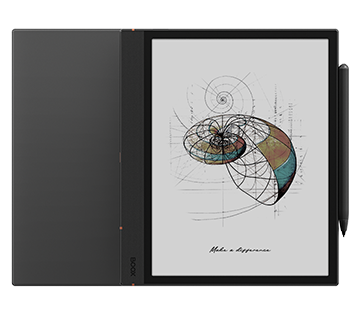
Note Air4 C

The Color ePaper Journal for Visionaries and Innovators.

10.3" Color ePaper Display

True-to-Paper Writing Touch

Next-Level Performance for Pros

BOOX Note Air processor and performance feature icon

Octa-core

BOOX Note Air e-ink tablet RAM memory specification icon

6GB

RAM

BOOX Note Air e-ink tablet ROM storage specification icon

64GB

ROM

Freely Install Apps with

Android operating system logo representing BOOX Note Air OS support

Android 13

Easy Navigation with

Tablet-like UI

Soothing Color ePaper Screen, Enrich Every Detail

Featuring a 10.3-inch upgraded Kaleido 3¹ display, Note Air4 C offers a brighter background tone with gentler shades for comfortable viewing, along with a faster refresh rate for smoother performance. Let the subtle colors inspire fresh ideas or improve productivity when reviewing detailed charts and graphs.
BOOX Note Air e-ink tablet lineup showing multiple device views

50%

CPU Performance
Improved

6GB RAM

Speed up
Multitasking

BSR Technology

for Optimal
Refresh Rate

A Playground for Your Innovation

Unlock your creativity with Note Air4 C. Its authentic paper-like writing experience and powerful note-taking features make it the perfect canvas to bring your ideas to life.

Catch Ideas as They Spark

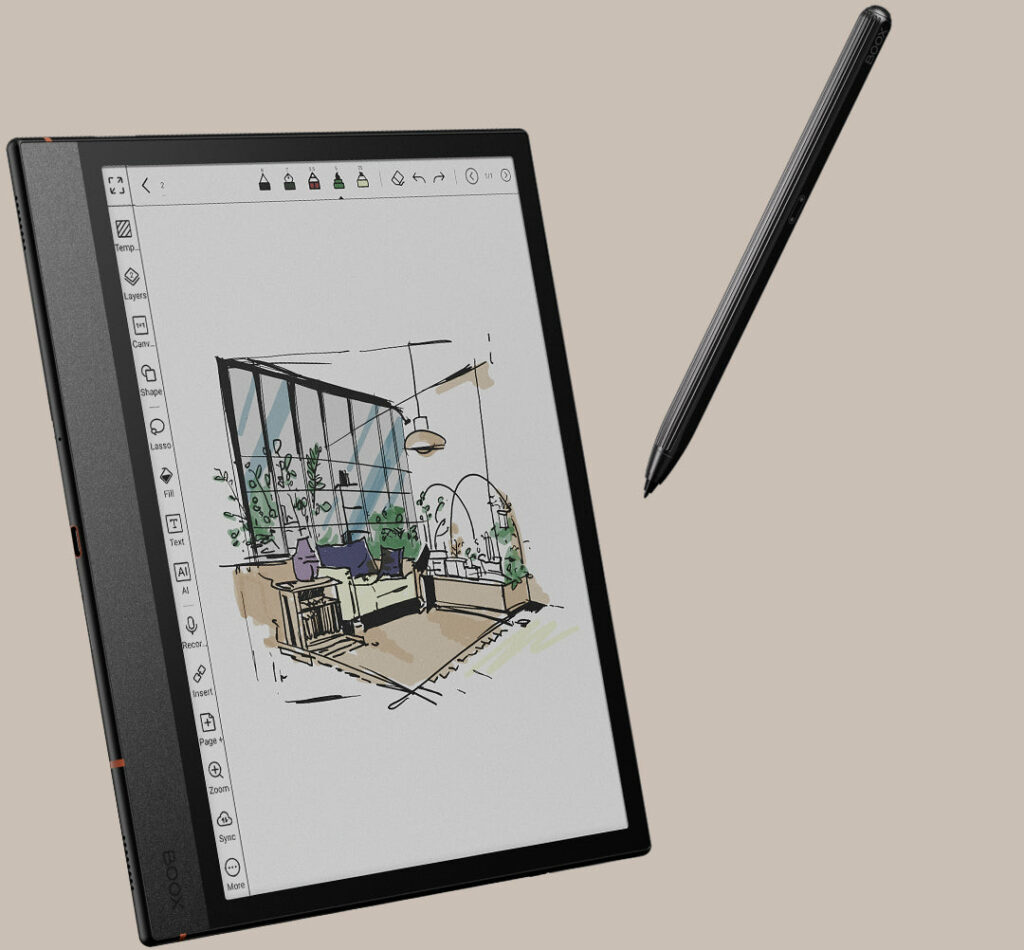
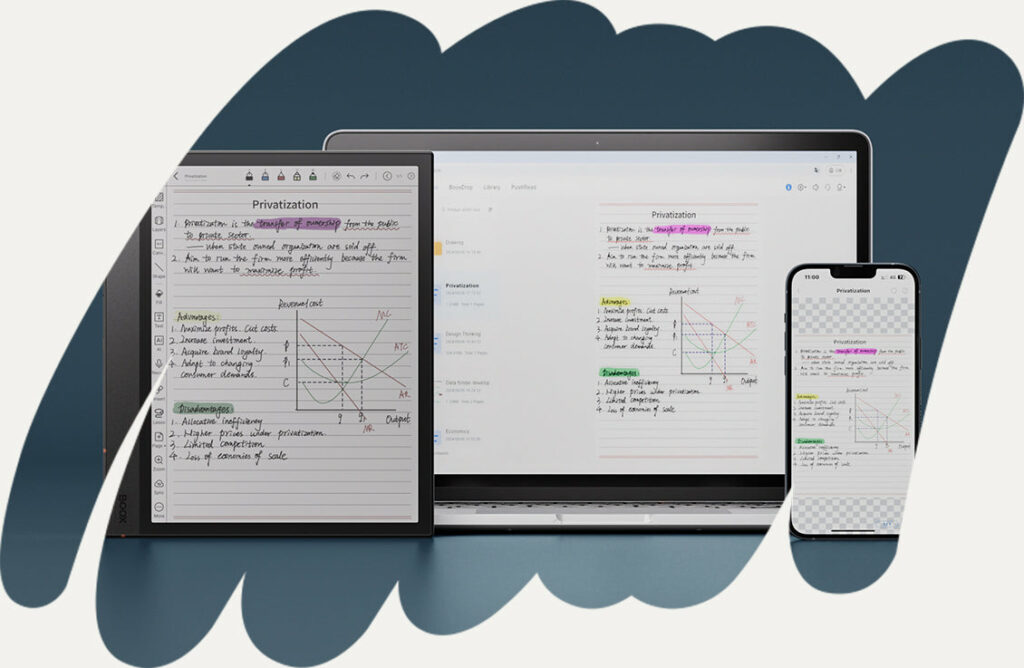
Spark creativity at the very first thought. With an array of templates, brushes, layers, and AI-driven Smart Scribe tools, you can seamlessly turn raw ideas into detailed sketches—capturing inspiration the instant it strikes.


BOOX Note Air tablet angled view highlighting slim design and display
BOOX Note Air e-ink tablet with document reading layout

Perfect Your Creations with Accuracy

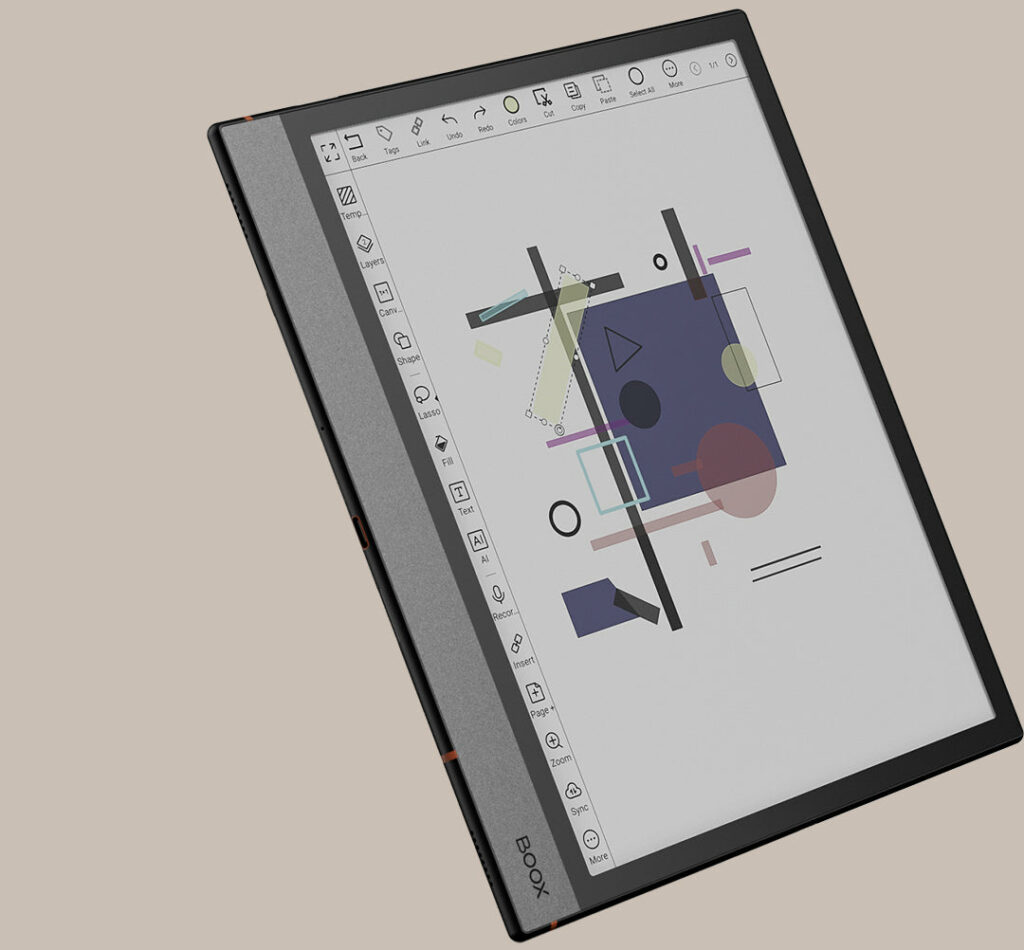
Transform your sketches into masterpieces with professional-grade tools for impeccable detail. Customize shapes effortlessly using the new Shape³ tool, and rely on the Lasso tool to intuitively select, move, and refine elements within your notes.   


BOOX Note Air tablet displaying handwritten notes on e-ink screen

Keep Every Thought Neatly Structured

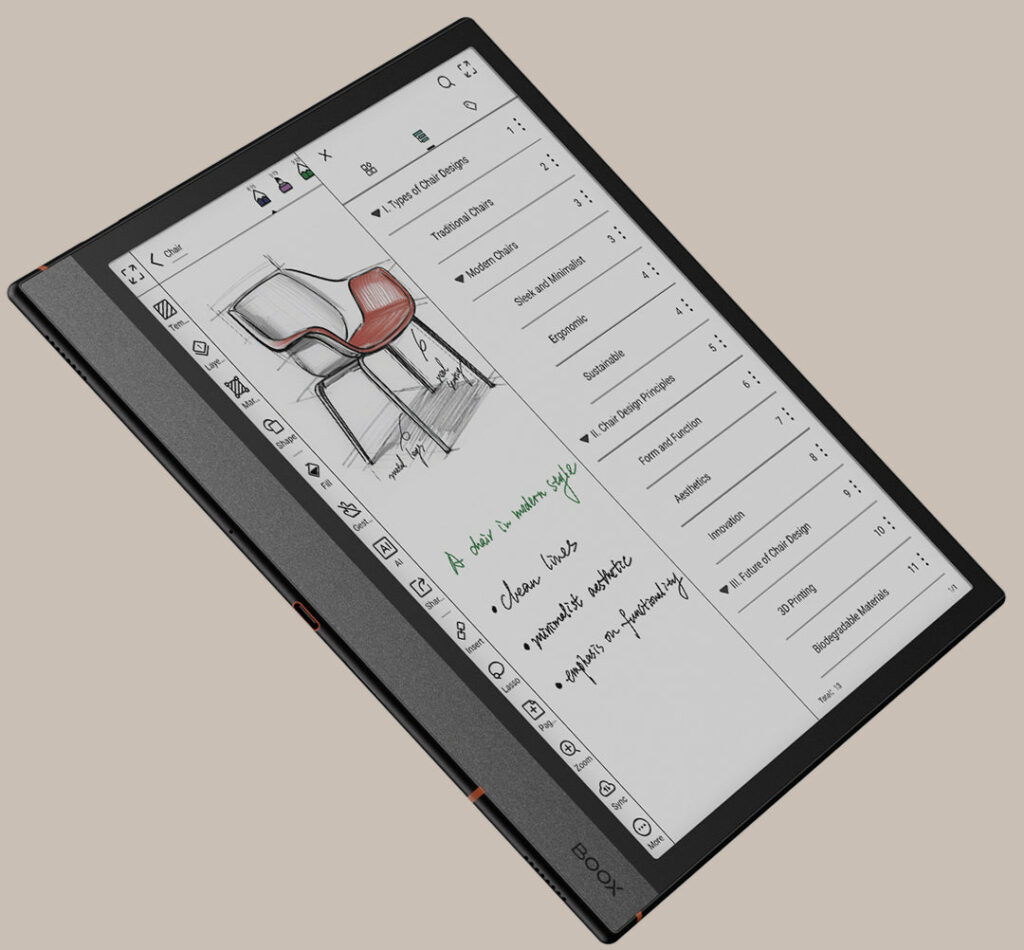
Sort and manage your projects seamlessly using folders, tags, and the new Outline⁴ feature to structure your notes with clarity. With the Link tool, you can interconnect ideas, documents, and online resources, ensuring everything stays accessible and easy to navigate.


Smooth Reading, Rapid Results

Experience relaxed viewing with gentle, muted tones that ease eye strain and sharpen focus. With NeoReader’s advanced tools, every reading session becomes more personalized and productive.

Customize Effortlessly with Preset Looks

Improve readability with preset appearance for different materials. Whether for academic papers, technical documents, or leisure novels, you can choose an optimal view or customize one that best suits your needs.

Bring Your Ideas to Life with Notes & Highlights

Capture your thoughts effortlessly with the freedom to highlight, annotate, and mark any document⁶ in NeoReader. Use the FreeMark tool to jot down quick notes while reading ebooks in other apps or even while browsing your favorite articles.

Multi Tasks on One Screen

Boost your productivity with the split-screen function, letting you take notes while reading or run two apps side by side. Whether you’re researching and writing, comparing data across documents, or managing tasks in parallel, you can handle everything with ease.

Keep Reading, Day or Night

Immerse yourself in endless reading under any lighting conditions with customizable front lights. Effortlessly switch between a cool tone for daytime clarity and a warm glow for relaxed evenings. For deeper focus, activate Dark Mode for a calm and distraction-free experience.

Connect, Share, and Engage

BOOX Note Air e-ink tablet with multiple document previews on screen

Seamless Workflow Sync

Easily transfer files across your BOOX tablet, computer, and phone with BOOXDrop. Keep your notes and annotations synced to Google Drive, Dropbox, OneDrive, or Onyx Cloud* for instant access anytime, anywhere.

Seamless Control Made Simple

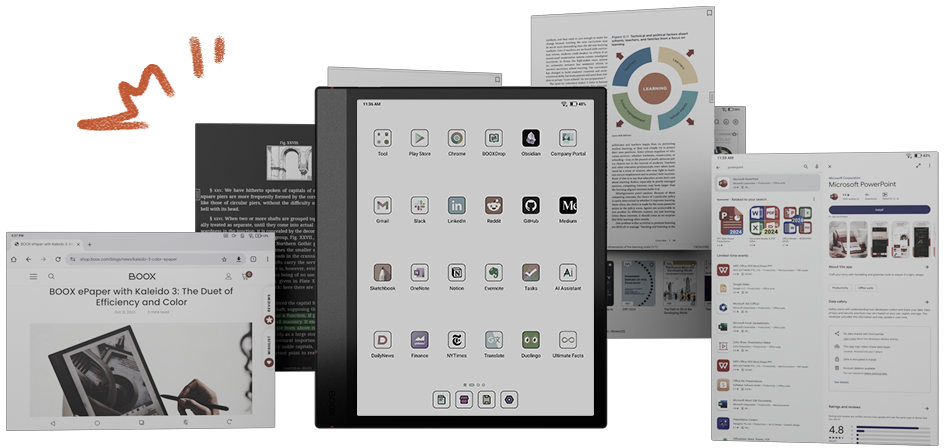
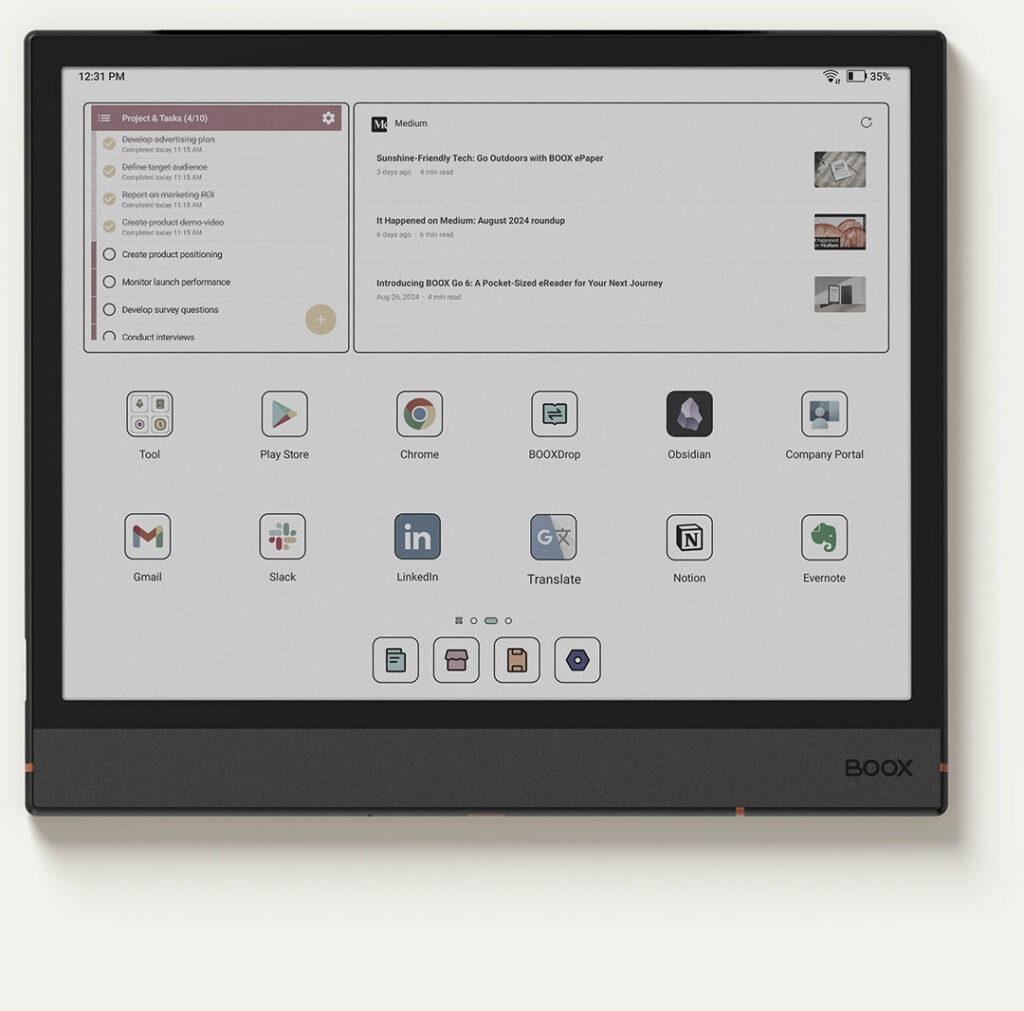
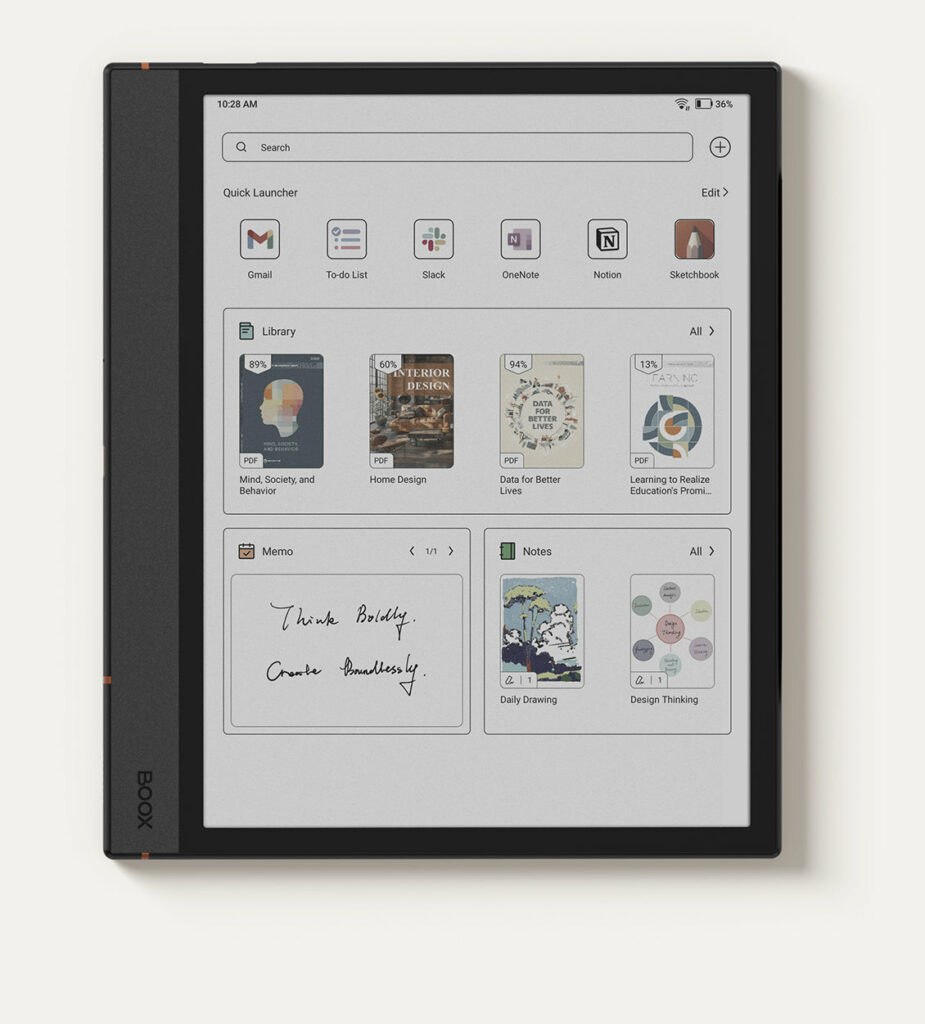
Streamline your experience with a tablet-style interface, debuting for the first time in the Note Series. Personalize your home screen with customizable widgets and check key updates instantly—without opening an app.

BOOX Note Air tablet showing digital notes and document interface
BOOX Note Air e-ink tablet displaying app icons on home screen

Arrange your icons instantly with a single tap and access your favorite apps directly from the Dock. The Smart Assistant page⁷ acts as your productivity hub, giving you quick access to the tools and tasks you rely on most.

*Check and update your Note Air4 C to the latest firmware for an enhanced experience.

Enduring Design, Eternal Grace

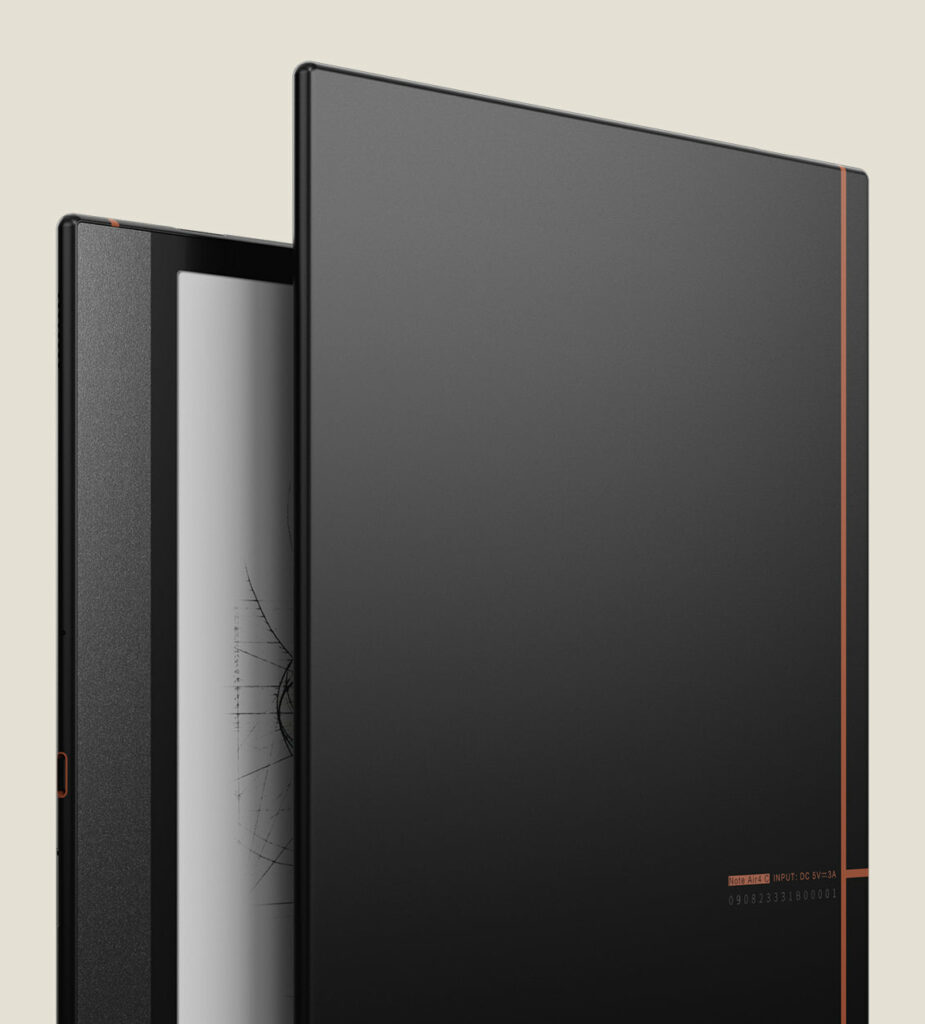
The Note Air4 C carries forward its iconic linear design, accented by a signature notebook-style strip on the back. With its ergonomic wide bezel, ultra-slim 5.8 mm profile, and lightweight 420 g build, it rests comfortably in your hands—always ready to go wherever you do.

BOOX Note Air e-ink tablet standing upright showing slim design

Inspiration, Always Within Reach

Experience accurate, natural writing with the Pen Plus, and keep it close with magnetic attachment. Pair it with the adaptable three-stand case for seamless use in every scenario.

Set and Watch with Complete Comfort
using the Magnetic Case

Create Your Next Work of
Art with the Pen Plus

Bring Every Idea to Life

FAQs

The BOOX Note Air4 C is a 10.3-inch color E Ink tablet designed for reading, note-taking, PDF annotation, studying, and professional productivity. It combines a Kaleido 3 color ePaper display with Android 13, Google Play Store access, BOOX Super Refresh technology, and advanced handwriting tools. Unlike traditional tablets, it provides a paper-like experience that helps users focus while reducing eye strain during long reading and writing sessions.

The BOOX Note Air4 C stands out because it combines a Kaleido 3 color E Ink display, BOOX Super Refresh (BSR) technology, Android app support, and advanced note-taking features. It can display 4,096 colors while maintaining the eye-friendly benefits of E Ink technology. This makes it particularly useful for reading charts, diagrams, educational materials, presentations, and color-coded notes.

Yes. The BOOX Note Air4 C is specifically designed for digital note-taking and handwriting. It includes the BOOX Pen Plus stylus and supports handwriting recognition, Smart Scribe tools, templates, layers, lasso selection, and document annotation. Students, professionals, researchers, and creatives can use it to organize notes, brainstorm ideas, and manage projects efficiently.

For many users, yes. The Note Air4 C offers a natural paper-like writing experience while allowing notes to be organized, searched, synchronized, and backed up digitally. Users can maintain multiple notebooks, annotate documents, and access their notes across devices without carrying physical notebooks.

Yes. Students can use the Note Air4 C for reading textbooks, annotating PDFs, taking lecture notes, organizing study materials, and accessing educational apps. The 10.3-inch display provides enough screen space for academic work, while the E Ink technology helps reduce eye fatigue during long study sessions.

The BOOX Note Air4 C is designed for professionals who work with reports, presentations, contracts, research papers, and meeting notes. Its handwriting tools, PDF markup capabilities, split-screen support, Android applications, and cloud synchronization make it a powerful productivity device for business users and consultants.

Yes. PDF reading and annotation are among the strongest features of the Note Air4 C. Users can highlight text, write directly on documents, add comments, review reports, and organize research materials. The large display size makes it comfortable to work with academic papers, contracts, manuals, and business documents.

Yes. The Note Air4 C runs Android 13 and includes full Google Play Store access. Users can install Kindle, Kobo, OneNote, Evernote, Google Drive, Dropbox, Microsoft Office applications, Libby, Audible, and many other Android apps. This flexibility makes it significantly more versatile than many traditional eReaders.

Many users choose the Note Air4 C because its E Ink display mimics the appearance of paper rather than emitting bright light like traditional LCD or OLED screens. The anti-glare display, adjustable front light, and paper-like visual experience can make long reading and writing sessions more comfortable.

Unlike traditional eReaders that focus primarily on reading books, the BOOX Note Air4 C combines reading, handwriting, PDF annotation, Android applications, cloud synchronization, note management, and color E Ink technology. It functions as a digital notebook, study tool, document manager, and productivity device in a single platform, making it ideal for students, professionals, and creators.

Discover the Color ePaper That Suits You Best

Pick the ideal color ePaper device to enhance your days with greater delight.

BOOX Note Air e-ink tablet with minimalist design and large display

Note Air4 C

A color ePaper notebook made for bold thinkers and creators.
 
Kaleido 3 Color Screen
 
300PPI (B&W) and 150PPI (Color)
 
Octa-core CPU
 
BOOX Super Refresh Technology
 
Adjustable Front Light
 
microSD Card Slot
 
Fingerprint Lock
 
Auto-rotation
 
6GB + 64GB
 
3700mAh
 
Supports BOOX Magnetic Stylus
 
Supports BOOX Magnetic Case
 
Android 13
 
Built-in Google Play Store
 
5.8 mm Thickness
 
Approx. 420 g

$914.30

Palma 2

One-year Warranty

Tab_Ultra_C_web_13-2

Fast Shipping

BOOX Tab Ultra C e-ink tablet feature icon showing device orientation

Step-by-step User Guide

Palma audio and connectivity support feature icon

Speedy Customer Service

BOOX provides 10GB of free cloud storage for all users, old and new. Each Onyx account gets secure online space to store and sync notes.
** BOOX guarantees free firmware upgrades for every model for at least 3 years after launch, ensuring smoother performance and new features.
*** BOOX devices may help reduce eye fatigue, but effects vary. Remember to take regular breaks for healthier screen use.

[1] BOOX Super Refresh (BSR), launched in 2022, enhances refresh speed and image clarity with four distinct modes for smoother visuals and reduced ghosting.
[2] Dark Mode in NeoReader is available from firmware v3.5.3 onward, allowing easy switching between light and dark themes.
[3] E Ink ComfortGaze™ Lighting offers adjustable brightness and color temperature for day or night reading comfort.
[4] The USB-C port with OTG support lets users connect flash drives and other accessories directly.
[5] BOOXDrop enables fast two-way file transfers over LAN between BOOX, PCs, and mobile devices.
[6] The water-repellent design shields against everyday splashes, spills, and light rain. It is not waterproof and protection may lessen with time.
Images shown are for reference. Final product and firmware define actual features.

Shopping Cart (0)

No products in the cart. No products in the cart.