You have a drawer of full notebooks. Somewhere in there is the note from that March meeting the one with the number you now need and finding it means flipping through three books page by page. That’s the problem an E Ink tablet solves, and the reason people ask whether an E Ink tablet can replace your notebook in the first place. The honest answer isn’t yes or no. It depends which of your notebooks you mean.
Can an E Ink Tablet Replace Your Notebook
Most people run two or three without realising it: the one they think in, the one they capture things in, and the one they hand pages out of. An E Ink tablet is excellent at one of those, decent at the second, and genuinely bad at the third.
The short answer: it replaces most notebooks, not all of them
An E Ink tablet reliably replaces the notebook you write in and refer back to meeting notes, lecture notes, project planning, annotated documents. It doesn’t replace the scrap you scribble a phone number on while standing in a corridor. If your notebook is a thinking and reference tool, it’s a strong swap. If it’s a fast capture tool, keep paper for that part.
What an E Ink tablet does that paper can’t
Four things, and only one of them is the one people expect.
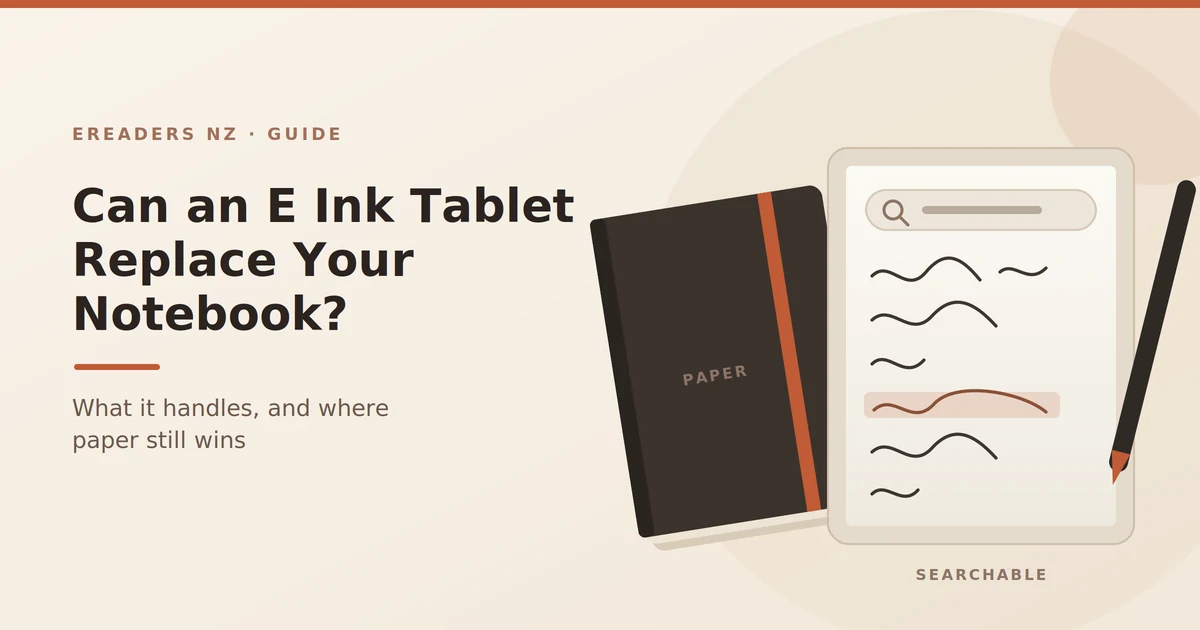
Your handwriting becomes searchable. Write “Kowhai project budget” in November, search for it in March, get the page. This is the feature that changes how you work, because it removes the reason most notes are never re-read.
Every notebook fits in one device. A year of meetings, three project books and a journal, at roughly the weight of a single hardback notebook.
PDFs live in the same place as your notes. Contracts, plans, academic papers, specs marked up by hand, on the document itself, not on a separate pad that gets separated from it.
It backs itself up. A notebook left in a taxi is gone. A synced device is an inconvenience.
Searchable handwriting is the feature that actually changes behaviour
Most paper notes are write-only. You take them to think, then never open the book again. Search breaks that pattern notes become a reference you actually query.
Quality varies. Recognition handles neat-ish printing and moderately messy cursive well, and struggles with genuine scrawl, mixed diagrams, and te reo Māori or technical vocabulary it doesn’t expect. Test it with your real handwriting rather than your careful handwriting before you commit.
PDFs, not just blank pages
This is where these devices pull decisively ahead of paper for professionals. A lawyer marking up a contract, an engineer reviewing a spec, a student working through a scanned course reading annotation happens on the source document, and the marked-up version exports as a normal PDF that anyone can open.
What paper still does better
Worth saying plainly, because the devices are frequently oversold.
- Instant, always. No boot, no wake, no wondering if it charged. Flip and write.
- No battery anxiety. A notebook cannot die 20 minutes into a two-hour meeting.
- Losing it costs $8. Losing a device costs several hundred dollars and possibly a repair wait.
- Sketching freedom. Diagrams that sprawl sideways, arrows across a double page, coffee-stained margin notes. Paper doesn’t care.
- Tear a page out and hand it over. Still unbeatable.
- Nothing to update. No firmware, no sync errors, no “why won’t this open”.
If you’ve tried going digital before and drifted back to paper, it’s usually one of these that did it not the writing feel.
How close does writing on E Ink feel to paper?
Close enough that most people stop noticing within a week or two, but not identical. Modern devices have low enough latency that the line appears to follow the nib rather than trail it, and textured screen surfaces add friction so the stylus doesn’t skate the way it does on glass. It feels like a firm pencil on smooth card not like a fountain pen on cotton paper.
Two things nobody mentions in reviews:
Nibs wear out. That same texture that makes writing feel good grinds the nib down. Expect to replace them periodically a small ongoing cost, but a real one. Budget for a pack.
Week one feels wrong. Every switcher reports this. The surface is different, the palm rejection takes adjusting to, and you’re fighting a decade of muscle memory. Give it a fortnight before judging.
Which of your notebooks it can actually replace
Here’s the segmentation that matters more than any spec sheet.
Replaces well:
- Meeting notes. Searchable, dated, synced, and one device instead of a book per client.
- Lecture notes. Course readings and your notes on them in the same place.
- Project planning. Pages you revisit, restructure and search.
- PDF and document markup. The strongest case of all.
- Reading notes and journalling. Long-form, reflective, re-read later.
Replaces adequately:
- To-do lists. Fine, though a phone app is faster for most people.
- Rough diagrams at a desk. Workable, if you’re not doing dense colour work.
- Idea capture when seated. Good, once the device is already open.
Doesn’t replace:
- Standing-up capture. Corridor conversations, site walks, phone numbers mid-call. Paper or phone wins.
- Colour-heavy sketching. Colour E Ink exists but is muted and slow; a tablet or paper is better.
- Handing someone a page. You’ll be emailing a PDF instead, which isn’t always appropriate.
- High-risk environments. Building sites, boats, workshops. A $15 waterproof notebook is the right tool.
Most people who switch successfully keep one small paper pad for the third category and never look back on the first.
E Ink tablet vs paper vs iPad: the honest comparison
| Paper notebook | E Ink tablet | iPad + Apple Pencil | |
|---|---|---|---|
| Search your notes | No | Yes, via handwriting recognition | Yes |
| Backup | None | Automatic via sync | Automatic |
| Battery | N/A | Days to weeks | Around a day of heavy use |
| Outdoor readability | Excellent | Excellent | Poor in direct sun |
| Writing feel | The benchmark | Close, with texture | Slick; better with a matte protector |
| Distraction risk | None | Low | High |
| Colour | Full | Limited and muted | Excellent |
| Upfront cost | Minimal | Several hundred dollars | More again |
| If you lose it | Gone forever | Notes survive, device doesn’t | Notes survive, device doesn’t |
| Also does | Nothing else | Reading, PDFs | Everything |
The iPad wins on speed, colour, app ecosystem and versatility. It’s the better device on almost every technical measure and that’s precisely why plenty of people don’t take notes on it. The same machine holds Slack, email and YouTube, so an hour of note-taking becomes twenty minutes of notes and forty of everything else.
An E Ink tablet is slower, greyer and more limited, and it does one thing without interrupting you. That’s the actual trade.
Choosing a device: what matters in practice
In rough order of how much it affects daily use:
- Screen size versus your documents. If you mark up A4 PDFs or two-column academic papers, 10.3 inches is the practical minimum. Smaller screens force zooming and panning, which kills the workflow.
- Handwriting recognition quality. Test with your real writing. This is the feature you bought it for.
- Open versus closed operating system. Covered below it’s the biggest fork in the road.
- Sync into tools you already use. OneNote, Obsidian, Notion, Google Drive, Dropbox. If your notes don’t land where the rest of your work lives, you’ll stop using it.
- Stylus and nib cost. Check whether the pen is included and what replacements cost.
Open Android versus closed devices
BOOX devices run full Android, so you can install the apps you already use Kindle, OneNote, Obsidian, cloud storage, your university’s PDF reader. More capable, more settings, more to learn, and more temptation to install something distracting.
reMarkable and Supernote take the opposite approach: closed, focused, fewer features, less to fiddle with. Nothing to install means nothing to be distracted by, but also no Kindle app and no arbitrary sync destination.
There’s no universal winner. Pick based on which failure mode you’d rather have: a device that does too much, or one that occasionally can’t do the thing you need.
The 10-inch question
If your notes are mostly blank-page thinking, a 7-inch device is light and pleasant. The moment you’re annotating A4 documents, 10.3 inches stops being a luxury. Buying small to save money and then fighting zoom on every PDF is a false economy it’s the most common reason people stop using a device they paid for.
Going paperless in New Zealand: records, privacy and buying
Three NZ-specific points that general guides skip.
Business records and IRD
If your notebook holds billable time, expenses, or anything that feeds your tax position, digital records are acceptable to Inland Revenue provided they’re complete, legible and retained for the required period. That makes an E Ink tablet a legitimate replacement for a paper day-book but the retention obligation is on you, not on the device. A synced backup is doing real compliance work, not just convenience.
Privacy and client notes
If your notes contain information about other people clients, patients, students where they sync matters. Check which cloud service the device uses by default, where that data is stored, and whether that fits your obligations under the Privacy Act. Most professionals never think about this until an audit makes them.
Warranty, GST and buying locally
Buying from a New Zealand seller means GST is handled, no customs charge appears after delivery, and you have Consumer Guarantees Act rights against the retailer if the device is faulty. Grey imports look cheaper until a screen fails and you’re couriering a device offshore at your own cost. Worth checking what local support looks like before you order see the current range at eReaders NZ.
How to switch without it ending up in a drawer
- Run parallel for two weeks. Keep the paper notebook alongside. Don’t force it see which one you reach for and why.
- Set up sync on day one. If it isn’t automatic before you form the habit, it never will be.
- Create one notebook structure and stop fiddling. Template tinkering is procrastination wearing a productivity costume.
- Learn three gestures. Undo, erase, page forward. Ignore the other forty.
- Schedule a weekly review. Fifteen minutes re-reading the week’s pages. This is what turns notes into a system rather than a nicer drawer.
- Keep a paper pad for standing-up capture. Accepting the device’s limits is what makes people stick with it.
FAQs
Can you convert handwriting to text on an E Ink tablet?
Yes. Most current devices convert handwritten pages into editable, searchable text. Accuracy is good with neat printing and moderate cursive, and drops with very messy writing or unusual vocabulary test with your own handwriting before buying.
Is an E Ink tablet better than an iPad for taking notes?
Better for focus, battery life, outdoor use and eye comfort. Worse for speed, colour and versatility. If you want a dedicated notebook, E Ink; if you want one device for everything, iPad.
How long does the battery last?
Days to a couple of weeks for typical note-taking, since E Ink only draws power when the screen changes. Heavy stylus use, Wi-Fi sync and backlight shorten that considerably expect days rather than weeks in real use.
Can I annotate PDFs and Word documents?
PDFs, yes, and that’s the strongest use case. Word documents depend on the device Android-based tablets can open them through Office or a document app, while closed devices usually require converting to PDF first.
Is an E Ink tablet worth it for university?
For students working through PDF readings and lecture material, often yes everything in one searchable place, and no printing costs. For subjects that are heavily visual, colour-dependent or lab-based, paper or an iPad may serve better.
What happens to my notes if the device breaks?
If sync is set up, your notes are on the cloud service and recoverable on a new device. If it isn’t, you lose them which is why configuring sync on day one matters more than any other setup step.
Do I still need a paper notebook?
Most successful switchers keep a small pad for quick capture on the move. That’s not a failure of the device; it’s using each tool for what it’s good at.
The bottom line
An E Ink tablet replaces the notebook you think in and refer back to. It doesn’t replace the one you scribble in while standing up, and pretending otherwise is how these devices end up in drawers.
If your notes are meetings, documents, study and planning things you write once and return to the case is strong, and searchable handwriting alone will change how much use you get from them. If your notebook is mostly fast capture on the move, keep the paper and spend the money elsewhere.