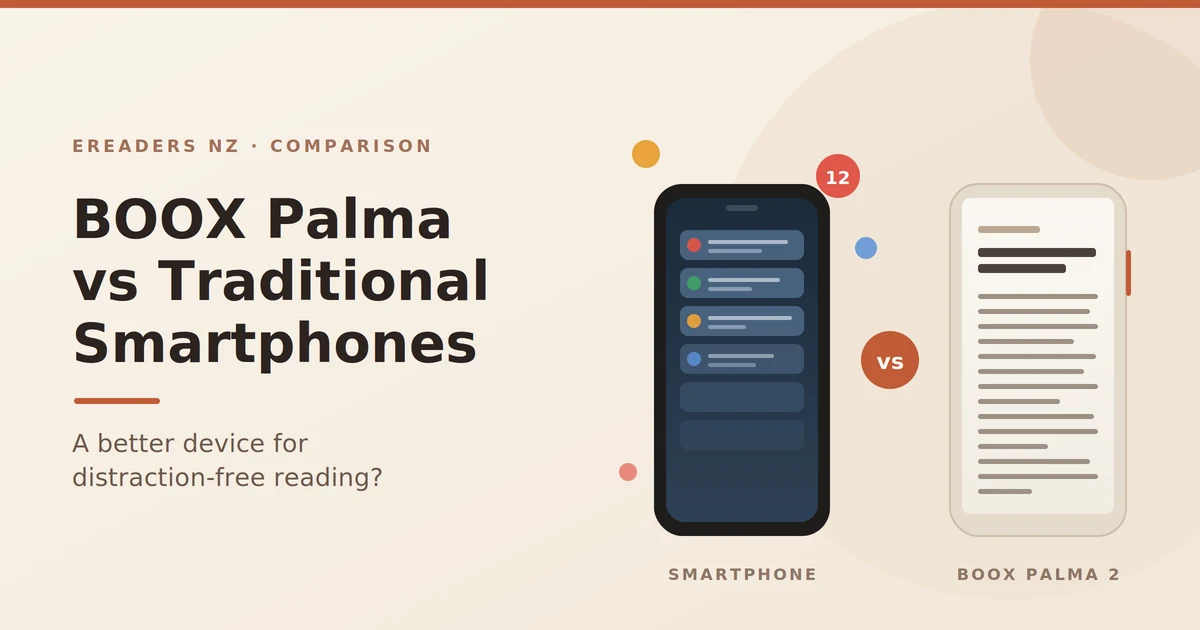
You open your book app on the train at Britomart. Twenty minutes later you’re four apps deep, you’ve replied to two work messages, and you’re still on the same page you started. That loop is the reason people go looking for a BOOX Palma. The comparison of the BOOX Palma vs traditional smartphones isn’t really about which screen looks nicer it’s about whether moving your reading onto a separate device changes what you actually do with your attention. Here’s the honest answer, from someone who sells these things in New Zealand and reads on one daily.
BOOX Palma vs Smartphones
The short answer: yes, but only because of what the Palma can’t do
The BOOX Palma 2 is better for distraction-free reading than a smartphone not because of a clever focus mode, but because of friction and hardware limits. There’s no SIM card in the standard model, no group chats you’ve been ignoring, and no notification badges by default. The device is dull on purpose, and dullness is the product.
That’s a very different claim from “e-ink fixes your attention span.” It doesn’t. What it does is separate reading from everything else you do on a screen.
Why reading on your phone fails (it isn’t a discipline problem)
Reading on a phone fails for structural reasons, not moral ones. Your book lives in the same rectangle as your inbox, your bank, and every app engineered by teams whose job is to interrupt you. One device holding both means one mode of attention, and the loudest app wins.
Phone makers know this, which is why Focus modes and app timers exist. They help. They also sit one tap away from being dismissed by the same thumb that set them.
The tab-switch is cheap on a phone and expensive on a Palma
On a phone, leaving your book costs nothing. A swipe up, a glance, and you’re gone. On the Palma 2, the same switch feels wrong: the screen refreshes in monochrome, animations don’t flow, and social feeds look tired and slow. You can install Instagram on it. Most people try once and don’t bother again.
That’s the real mechanism. Not blocking degrading. The Palma makes distraction technically possible and experientially unpleasant.
Screen type matters, but app access matters more
E-ink helps with glare and evening reading, and plenty of people report less eye fatigue over long sessions though BOOX itself is careful to note individual experiences differ, and so am I. Don’t buy a Palma expecting a medical outcome. Buy it because the thing in your hand can’t ping you.
What the BOOX Palma 2 actually is (and isn’t)
The BOOX Palma 2 is a phone-shaped e-ink device: a 6.13-inch E Ink Carta 1200 screen, around 170g, running full Android 13 with the Google Play Store pre-installed. It has Wi-Fi, Bluetooth, a microSD slot, a fingerprint reader in the power button, dual speakers, and a 3,950mAh battery. What it doesn’t have is a SIM slot.
Two misreadings to clear up before you spend money.
It’s not a Kindle. Kindles are locked to Amazon’s store. The Palma runs open Android, so your Kindle app, Kobo, Libby, Instapaper, Pocket, an audiobook app, and your own EPUB and PDF library can all sit on one device.
It’s not a phone replacement. No calls, no texts, no cellular data on the Palma 2. You’ll still carry your phone.
The Wi-Fi-only limitation is the feature
This is the part reviews often treat as a flaw. On a Wi-Fi-only Palma, the bus ride, the queue at the GP, and the twenty minutes before your flight boards are all offline. Your downloaded books work. Feeds don’t. That constraint does more for your reading habit than any app-blocker I’ve tried.
Which is why the newer Palma 2 Pro is a genuine trade-off rather than a straight upgrade. It adds a Kaleido 3 colour screen, Android 15, 8GB of RAM, InkSense Plus stylus support (sold separately), and a hybrid SIM slot with mobile data. Better device, more capable device and slightly less protected from the exact behaviour you’re trying to break.
Palma 2 or Palma 2 Pro?
- Palma 2 — you want a reading device and nothing else. Sharper black-and-white text than the colour panel, cheaper, and no cellular temptation.
- Palma 2 Pro — you read comics, annotated PDFs, or textbooks where colour carries meaning, you want to scribble notes with the stylus, or you genuinely need data away from Wi-Fi (field work, long rural drives, travel).
For pure book reading, most of my customers are better served by the standard Palma 2. Colour on a 6.13-inch panel is a nice-to-have, not a reason to spend more.
BOOX Palma vs smartphone: head-to-head comparison
| BOOX Palma 2 | BOOX Palma 2 Pro | Typical flagship phone | |
|---|---|---|---|
| Display | 6.13″ E Ink Carta 1200, monochrome | 6.13″ Kaleido 3, colour e-ink | OLED/LCD, backlit |
| Direct sunlight | Very readable — brighter light helps | Readable, slightly muted colour layer | Washes out; needs max brightness |
| Evening reading | Reflective screen, adjustable warm frontlight | Same, with colour layer | Emits light at your face; Night Shift helps a little |
| Battery per charge | Days of reading | Days of reading | Hours of screen time |
| Weight | ~170g, fits a jeans pocket | ~175g | 190–240g |
| Apps | Full Google Play (Android 13) | Full Google Play (Android 15) | Everything, always |
| Notifications by default | Effectively none | Effectively none | Constant |
| Cellular | No SIM — Wi-Fi only | Hybrid SIM, mobile data | Yes |
| Camera | 16MP, document-scanning grade | Basic | Excellent |
| Library borrowing (Libby) | Yes, via Play Store | Yes | Yes |
| NZ price | [PLACEHOLDER: current NZD price] | [PLACEHOLDER: current NZD price] | Already paid for |
| Replaces your phone? | No | No | — |
Where the phone genuinely wins: speed, photos, video, maps, payments, and typing. Anything involving fast scrolling or motion looks poor on e-ink, and it always will that’s physics, not firmware.
The phone also wins on cost, because you own one already. The Palma is a second device with a single job. Judge it on that job.
Real use: what changes in week one vs week four
The pattern I hear most from NZ customers: week one feels slow and slightly annoying, week four is when the phone starts feeling loud by comparison.
The honest downsides
- Ghosting and lag. Faint traces of the previous screen appear during heavy scrolling. BOOX’s refresh modes reduce it; they don’t eliminate it.
- Typing is slow. Fine for a search box, painful for a long reply.
- The camera is for documents, not for your kid’s birthday.
- Willpower still applies. Nothing stops you installing TikTok on it. A few people do, hate it, and uninstall — but the device isn’t a lock, it’s a nudge.
- Not a bargain. You’re paying real money to do one thing your phone technically already does.
Who it’s for and who should stick with their phone
Good fit if you:
- Commute by train, bus, or ferry and want that time back
- Read in bed next to someone who’s trying to sleep
- Read outdoors a Carta screen in Central Otago summer glare is a different experience from an OLED
- Work through PDFs, papers, or study material
- Are deliberately trying to cut phone use and have failed with app timers
Skip it if you:
- Read a few books a year a cheaper e-reader or your phone is plenty
- Want one device to do everything
- Mainly read comics or art books in colour on a small screen (go bigger, not pocket-sized)
- Expect the hardware to do the deciding for you
Reading on a Palma in New Zealand
A few specifics that matter locally.
Glare. New Zealand’s UV levels are high by international standards, and a reflective e-ink screen handles bright outdoor light far better than a backlit phone. Beach, deck, cricket sideline this is where the difference is most obvious.
Library books. Libby works on the Palma through the Play Store, so an Auckland Libraries, Wellington City Libraries, or Christchurch City Libraries card gets you free borrowing on the device. For a lot of readers that quietly offsets the purchase price.
Rural and capped connections. Wi-Fi-only suits sideloading habits sync a batch of books at home, then read offline for a week.
Warranty, GST, and buying locally
Buying from an NZ-based retailer means GST is handled, no customs charge lands after the fact, and you have Consumer Guarantees Act rights against the seller if the device is faulty. Grey imports can look cheaper up front, but a warranty claim means shipping a device offshore at your cost, and CGA protections don’t apply to an overseas seller in the same way. It’s worth checking what New Zealand support looks like before you buy that’s part of why we stock the range at eReaders NZ.
Is it worth it on top of a phone you already own?
Work it out as cost per reading hour, not as gadget cost. If a Palma gets you from two books a year to one a month, the maths gets comfortable fast. If it sits in a drawer by March, it was expensive regardless of the price.
Cheaper alternatives that genuinely work for some people: a basic Kindle or Kobo (locked ecosystem, less flexible, less money), or a stripped-back second Android profile on your existing phone with only reading apps installed. Try the free option first if you’re unsure. The Palma earns its price for people who read a lot, read in varied light, and have already tried and failed to make the phone behave.
[PLACEHOLDER: confirm current NZD pricing for Palma 2 and Palma 2 Pro at publish time.]
FAQs
Can the BOOX Palma 2 replace my phone?
No. The Palma 2 has no SIM slot, so no calls, texts, or mobile data. The Palma 2 Pro has a hybrid SIM with data support, but neither is designed as a phone replacement. Treat it as a second device.
Is the Palma 2 good for reading in sunlight?
Yes, and this is one of its clearest advantages. E-ink reflects ambient light rather than emitting it, so bright New Zealand sun makes the screen easier to read, not harder.
Does the Palma work with Kindle and Libby in New Zealand?
Yes. It runs open Android with the Google Play Store, so you can install the Kindle app, Kobo, Libby for library borrowing, and read your own EPUB and PDF files.
Is e-ink actually better for your eyes?
Many readers report less fatigue over long sessions, and there’s no emitted backlight in your face. Evidence on long-term eye health is limited, and BOOX notes individual experiences vary so treat comfort, not health, as the benefit.
Palma 2 or Palma 2 Pro which should I buy?
Palma 2 for reading books, with sharper monochrome text and a lower price. Palma 2 Pro if you need colour, stylus notes, or mobile data away from Wi-Fi.
Should I wait for the Palma 3?
A Palma 3 has been rumoured but not announced or dated by BOOX, so there’s nothing confirmed to wait for. The Palma 2 and 2 Pro are the current models and receive firmware updates.
Will it stop me getting distracted?
It removes most of the triggers rather than enforcing focus. If you install every app you’re trying to avoid, you’ll be distracted on a slower screen.