You printed the sixty-page report. You marked it up in pen, made good notes in the margins, then spent twenty minutes typing those notes back into a document and the annotated copy is now in a drawer where nobody will ever search it.
Best eReader for Professionals
That loop is why professionals go looking for the best eReader for reading, writing and working without distractions. The useful question isn’t which device has the best specs. It’s which one fits the documents you actually work with, and whether it survives contact with your real workflow.
The short answer for most professionals
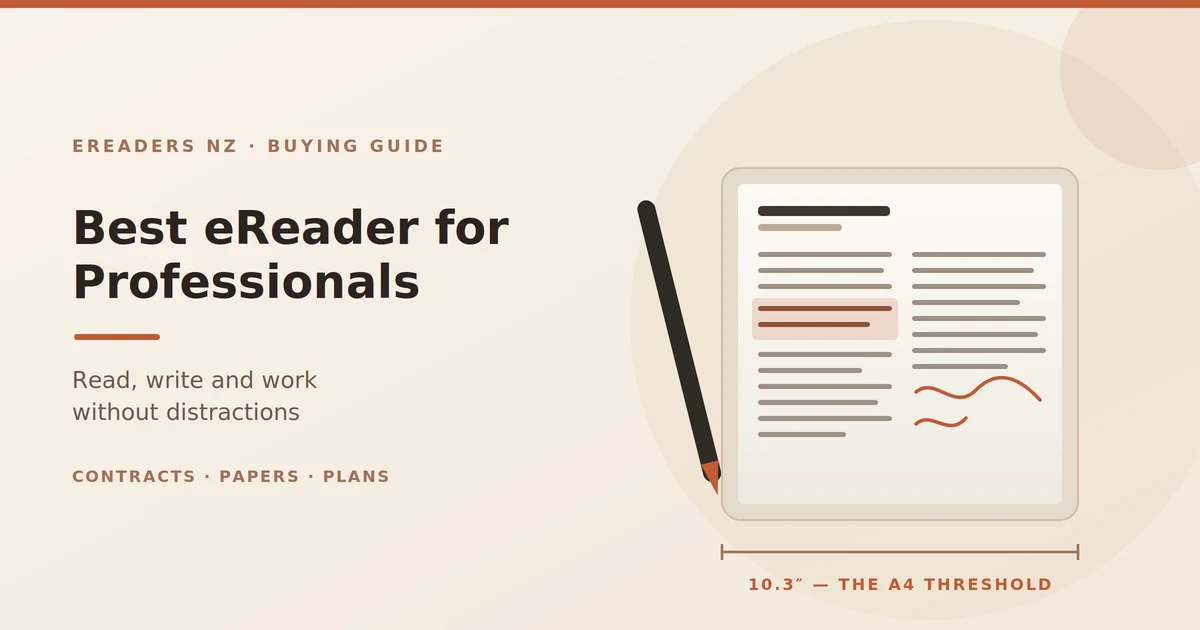
A 10.3-inch e-ink tablet with stylus support handles the large majority of professional document work contracts, reports, papers, board packs. Go to 13.3 inches if you work with plans or full-size drawings. Anything smaller than 10.3 is a reading device, not a working one.
Screen size is the decision. Everything else is preference.
What “distraction-free” actually buys you at work
The wellness framing undersells this for a professional audience. Here’s the practical version.
You read long documents properly again. A forty-page report on a laptop gets skimmed, because the same screen is one keystroke from your inbox. On a device that can’t show you anything else, you read it.
It changes the room. A laptop screen sits between you and the person across the table. A flat tablet you write on doesn’t. If you take notes in client meetings, that’s not a small thing.
Reading stops competing with responding. Your inbox lives on one device, your reading on another. The separation does more for attention than any focus app.
Where the time actually comes back
Not from speed e-ink is slower than a laptop at nearly everything. The time comes from what disappears:
- No printing, collating or carrying paper
- No re-typing handwritten notes
- No lost annotated copy, because the marked-up version is searchable and synced
- No “which version did I write on?”
Match the device to the job
This is the part that matters more than any spec table.
Lawyers and contract work
You need clause-level markup on long PDFs and an export that opposing counsel can open without special software. 10.3 inches minimum a two-column agreement on a smaller screen means constant zooming, and zooming while reading a contract is how you miss things.
Monochrome is fine here. What matters is annotation quality and clean export.
Consultants and analysts
Reports, decks and client notes across several engagements at once. Notebooks per client, searchable later, and colour where it carries meaning a chart with three coloured series is unreadable in greyscale.
A 10.3-inch colour device suits this, at the cost of slightly softer text than mono.
Engineers, architects and surveyors
Drawings and plans need size. This is the one profession where 13.3 inches stops being a luxury: an A4-at-true-scale screen means reading a detail without pinching, on site, without a laptop.
Colour matters if your drawings use it for services or layers. Otherwise mono is sharper.
Academics and researchers
Two-column papers, heavy annotation, long reading days. 10.3 inches mono is the sweet spot the sharpest text at the lowest weight, and PDFs from journals render well.
Check how your citation workflow moves notes off the device before you commit; that’s where academic setups usually break.
Executives and managers
Board packs and reports, read in transit, annotated lightly. Portability and battery matter more than stylus precision here. A 10.3-inch device in a bag with a week of battery beats a laptop you have to open.
Anyone billing by the hour
Plain arithmetic. If the device recovers an hour a week of reading time that was previously lost to distraction or re-typing, a professional charging by the hour covers the cost inside a month. That’s the honest business case, and it doesn’t need a spreadsheet.
The comparison
| Device class | Best for | A4 PDFs | Stylus | Colour | What it doesn’t do |
|---|---|---|---|---|---|
| 7″ reader | Reading books and short docs | Poor — constant zooming | Some models | Some models | Serious document work |
| 10.3″ mono | Contracts, papers, reports | Yes | Yes | No | Colour-coded material |
| 10.3″ colour | Consulting, charts, study material | Yes | Yes | Muted | Colour-critical design work |
| 13.3″ mono | Plans, drawings, full-page review | Yes, at true scale | Yes | No | One-handed portability |
| Colour + keyboard cover | Drafting as well as annotating | Yes | Yes | Muted | Spreadsheets, video calls |
The screen size question, settled
10.3 inches is the practical minimum for A4 and two-column documents. Below that you’re zooming and panning on every page, and that’s the single most common reason a professional device ends up in a drawer.
Here’s why it matters more than it sounds. Reading a document is partly spatial you remember that the indemnity clause was two-thirds down the left column. Zoom in and that map disappears. You’re reading through a letterbox, and comprehension on long technical documents drops accordingly.
Buying a 7-inch device to save a few hundred dollars, then finding your work is unreadable on it, isn’t a saving.
Getting it into your actual workflow
Hardware isn’t where these devices fail for professionals. Workflow is.
Set up sync on day one
Before you take a single note. OneDrive, SharePoint, Google Drive, Dropbox, or Obsidian if that’s your system.
If your annotated documents and meeting notes don’t land automatically where the rest of your work lives, you will stop using the device within a month. A manual export you have to remember is a workflow that fails the first busy week.
Export annotations properly
Two habits worth building immediately:
Export a flattened PDF when you’re done marking up. Annotations often live in a layer that other PDF readers may not display a flattened copy opens correctly for a client, a colleague or opposing counsel.
Sync before you close. Confirm the upload happened. A device failure without sync is a genuine loss; with sync it’s an inconvenience.
What it won’t do
Be clear about this before you buy:
- Spreadsheets: technically possible, practically miserable
- Video calls; no
- Fast browsing; e-ink scrolls poorly and always will
- Colour-critical work; colour e-ink is muted by design
This sits alongside your laptop. Anyone telling you it replaces one is overselling.
Confidentiality, client data and the Privacy Act
The section that matters most for regulated professions, and that nobody else writing about these devices bothers with.
If your device holds documents containing other people’s information client files, patient records, student data, employee details then where those files live and how they sync is your responsibility under the Privacy Act, not the device manufacturer’s.
Questions to answer before you put client files on it
- Which cloud service is it syncing to, and where is that data stored? Some default cloud services store data offshore. Whether that’s acceptable depends on your obligations and your firm’s policy.
- Is the device itself secured? A PIN or password at minimum. A tablet in a taxi with unlocked client files is a notifiable privacy breach waiting to happen.
- What happens if it’s lost or stolen? Know the answer before it happens remote wipe, or at least an account you can disconnect.
- Does your firm already have a policy? Many do, covering any device that touches client data. Check before you buy rather than after.
Work and personal separation
Android-based devices support work profiles and separate accounts, which lets you keep firm systems apart from personal reading. If you’ll use the same device for client work and for novels, set that separation up at the start.
What it costs, and how to justify it
Frame it as equipment, not a gadget.
What it displaces: printing and toner, paper, the time spent re-typing notes, and for firms still doing it courier costs on marked-up hard copies.
What it recovers: reading time that was previously fragmented, and annotated documents that stay findable instead of ending up in a filing cabinet.
Tax treatment: for self-employed professionals and businesses, a device bought for work is generally a deductible business expense, but the treatment depends on your circumstances and how it’s used. Ask your accountant that’s a question for them, not for a retailer.
Buying and support in New Zealand
Three practical points.
Buy locally. The Consumer Guarantees Act gives you rights against a New Zealand retailer if the device is faulty, and a local replacement rather than shipping a device offshore at your own cost. For a device your working week depends on, that matters more than a small saving on a grey import.
Budget for the accessories that actually matter. A case, because the screen travels in your bag daily. Spare nibs, because the textured writing surface wears them down and a worn nib is the most common cause of “the writing feels wrong now.” A keyboard cover if you draft as well as annotate.
Ask about support before you need it. Setup questions in the first week are normal sync configuration and export settings are where most professionals get stuck. You can see what we stock and support at eReaders NZ.
FAQs
What’s the best e-ink tablet for reading PDFs?
A 10.3-inch model for A4 documents and two-column papers, or 13.3 inches for plans and drawings. Below 10.3 inches you’ll be zooming constantly, which is the main reason people abandon smaller devices.
Can I annotate contracts on an e-reader?
Yes, and it’s one of the strongest use cases. You mark up the PDF directly with a stylus and export a flattened copy that opens normally for anyone you send it to.
Is an e-ink tablet worth it for a lawyer or consultant?
If you read and mark up documents for hours each day, usually yes it replaces printing and keeps annotated versions searchable. If your work is mostly spreadsheets, calls and email, no.
Can I use it instead of a laptop?
No. It handles reading, annotation, note-taking and light writing. Spreadsheets, video calls and fast browsing belong on your laptop. Most professionals carry both and use each for what it’s good at.
How do I get my notes into OneNote or SharePoint?
Through the device’s cloud sync settings, or by installing the app directly on Android-based models. Set this up on day one sync configured after the habit forms usually never happens.
Is it secure enough for client documents?
It can be, with a device passcode, a considered choice of cloud service, and account separation. Check your firm’s policy and your Privacy Act obligations before putting client files on any new device.
Do I need colour?
Only if colour carries meaning in your documents charts, colour-coded plans, marked-up drawings. Mono is sharper and cheaper for text-heavy work like contracts and papers.
The bottom line
Choose by document, not by device. A4 contracts and papers mean 10.3 inches. Plans and drawings mean 13.3. Colour only if your material depends on it, and a stylus only if you’ll genuinely write rather than intending to.
Then do the two things that decide whether it sticks: set up sync before you take your first note, and be honest that this sits next to your laptop rather than replacing it. The professionals who get value from these devices are the ones who gave them one clear job.