You sat down with your iPad to read a chapter. Forty minutes later you’re three messages deep in a group chat, you’ve checked the weather twice, and the book is still on page one.
Or you took it out to the deck in February, tilted it against the sun, and gave up because you were mostly looking at your own reflection.
Those two problems are why people start asking why they’d choose an E Ink tablet over a traditional tablet. The answer isn’t that E Ink is better. It’s that the two devices are built for genuinely different jobs, and if reading is the job, the differences matter more than the spec sheets suggest.
The short answer: they’re built for different jobs
An LCD or OLED tablet is a general-purpose screen that reads adequately. An E Ink tablet is a reading and writing device that happens to run apps. Both display words, but they’re engineered around opposite priorities one for motion and colour, the other for stillness and comfort.
Ask yourself which device you’d actually reach for. That question sorts most people faster than any feature comparison.
Reflective vs emissive: the difference everything follows from
There’s one real technical distinction, and every other difference descends from it. LCD and OLED screens shine light at your eyes. E Ink reflects the light already in the room, the way paper does.
That single property explains sunlight performance, battery life, refresh rate, weight and eye comfort. It also explains the trade-offs because a display that doesn’t emit light also can’t refresh quickly.
Why E Ink gets better in bright light while your tablet gets worse
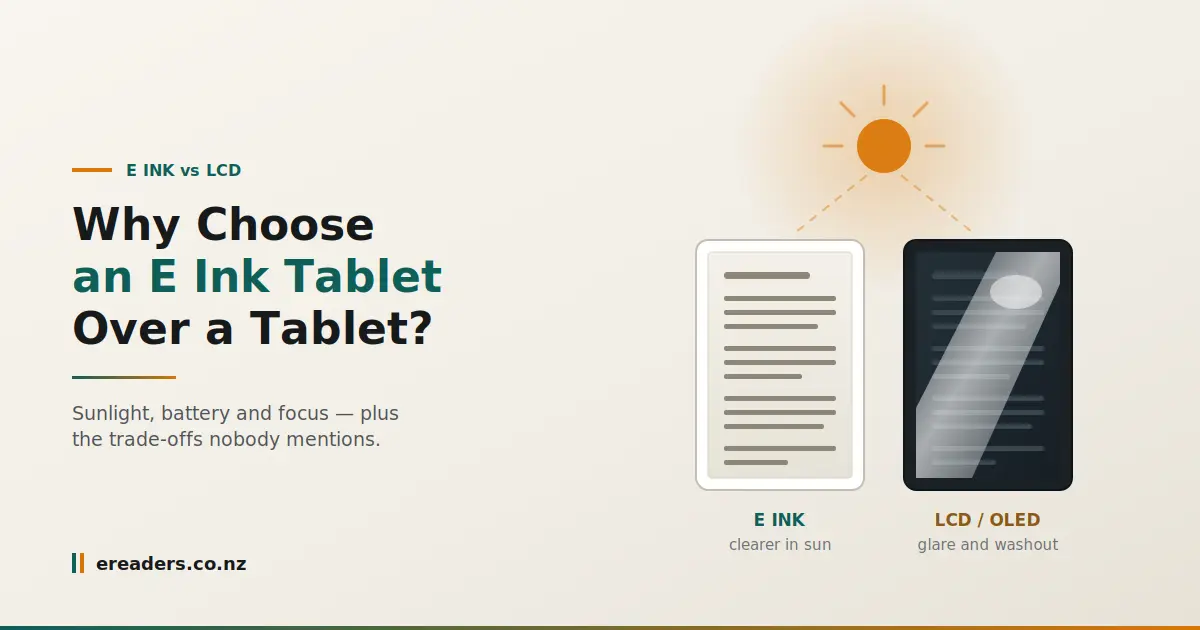
Take an LCD tablet outside and it fights the sun. Its backlight competes against a much brighter source and loses, so the screen washes out and the glossy glass turns into a mirror. Your only options are cranking the brightness which drains the battery or finding shade.
E Ink does the opposite. More ambient light means more light reflecting off the page, so the display gets easier to read. Sitting in full sun is where it’s at its best.
This is not a small point in New Zealand. Our UV levels run high by international standards, summer light is intense, and glare off water is punishing. If your reading happens on a deck, a boat, at the beach or at the bach, the difference is the whole ballgame.
The trade you’re making: refresh rate
Here’s the honest cost, and it should be stated plainly rather than buried at the bottom of a features list.
E Ink refreshes slowly. Page turns are quick enough that you stop noticing within a day, but faint traces of the previous page ghosting can linger until the screen does a full refresh. Scrolling a busy web page feels sluggish. Video is technically possible and genuinely unpleasant.
If that sounds like a dealbreaker, it probably is, and it’s better to know now
Is E Ink actually better for your eyes?
Probably, but not for the reason most marketing claims. The blue-light explanation is weaker than it’s usually presented eye care bodies generally attribute digital eye strain to how we use screens rather than to blue light causing damage. The more defensible reasons are that E Ink doesn’t direct light into your eyes, doesn’t flicker, and holds a completely static image.
Being precise here matters, because overclaiming on health is how a product category loses credibility.
What the evidence actually supports
Digital eye strain is real. The mechanisms most commonly identified are reduced blink rate while concentrating, sustained close focus without breaks, and simply spending long hours on screens not blue light specifically damaging the eye.
What E Ink genuinely changes:
- No light aimed at your face. A frontlight, where fitted, lights the surface from the edge rather than shining out at you closer to a lamp on a page than a torch in your eyes.
- No flicker. Many phone and tablet screens dim by rapidly switching the backlight on and off. Most people never notice; some get headaches from it. E Ink has nothing to flicker.
- A genuinely static image. The page sits there, unchanging, drawing almost no power. Your eyes are looking at something closer to print than to a broadcast.
None of that is a medical claim. It’s a description of a different way of putting words in front of you, and plenty of people report reading longer and more comfortably as a result.
The benefit nobody measures
The largest effect may not be optical at all. Nothing pops up. No badges, no notifications, no algorithmic pull.
A device that only does one thing changes how long you read and for most people that’s a bigger real-world outcome than any display specification. It’s also the hardest benefit to demonstrate in a shop, which is why it rarely appears in comparisons.
E Ink tablet vs traditional tablet: the honest comparison
Neither wins outright. The table below is what the trade actually looks like, including the parts that don’t favour E Ink.
| E Ink tablet | LCD / OLED tablet | |
|---|---|---|
| Bright sunlight | Better the brighter it gets | Washes out, heavy glare |
| Battery life | Days to weeks | Hours to a day or two |
| Video and scrolling | Poor — not what it’s for | Excellent |
| Colour | Muted, print-like where fitted | Vivid, full saturation |
| Weight | Generally lighter for the size | Heavier |
| Distraction | Minimal by design | Constant by design |
| Note-taking feel | Paper-like, low latency pens | Slick glass, more latency |
| Price for the specs | Higher per spec | Lower per spec |
| Best for | Reading, study, annotation, focus | Media, browsing, creative apps, everything |
Battery life you stop thinking about
Because a static page draws almost no power, an E Ink tablet measures its battery in days or weeks rather than hours. The screen only consumes energy when the image changes hold a page open and it costs you essentially nothing.
Be realistic about the caveats. A frontlight at high brightness, Wi-Fi left on, and heavy app use all cut that figure substantially. Manufacturer battery claims assume modest reading with the light low.
Where this actually matters
- Long-haul flights. NZ to anywhere is a long time between power outlets.
- The bach, the campsite, the boat. Places where charging is inconvenient or unavailable.
- Tramping. Weight and power both matter, and a device that lasts a week changes what you pack.
- Ordinary weeks. Never hunting for a cable is a small pleasure that compounds.
Yes, it runs apps that’s what makes a BOOX different
This is where “E Ink tablet” earns its name rather than being called an e-reader. BOOX devices run Android with Play Store access, so Kindle, Kobo, Libby, your email and your note apps all live on the same device.
You’re not locked into one bookstore. Buy from wherever you like, borrow from your library, read the PDFs your work sends you all in one place.
What works well and what doesn’t
Works well: reading apps of every kind, PDF and document readers, note-taking, email, reference browsing, RSS, plain-text writing.
Doesn’t: video, games, maps with live movement, anything with animation, image editing, or a website that insists on a carousel.
Buy one understanding that split and you’ll be happy. Buy one expecting an iPad with better battery life and you won’t be.
Who shouldn’t buy one
If you want a single device that does everything, buy an LCD tablet. E Ink is a poor fit for people who watch a lot of video, play games, edit photos, or need vivid colour for work.
It’s also the wrong purchase if you’re hoping to replace your laptop. Some people write on them successfully, but the refresh rate makes fast, fluid work frustrating.
The clearest way to think about it: this is usually a second, specialised device, not a replacement for the general-purpose one you already own. Anyone telling you it replaces everything is overselling.
Why they cost more than a cheap LCD tablet
E Ink panels are more expensive to manufacture and are produced at far lower volumes than LCD, so the price per inch is higher. You’re also not comparing like with like a budget LCD tablet’s specs will look better on paper while doing a worse job of the one thing you’re buying it for.
The fair comparison isn’t against a $200 tablet. It’s against the cost of continuing to read on a device that pulls your attention away every few minutes.
The local buying difference
Buying in New Zealand gets you an NZD price with GST already included, domestic delivery instead of a customs wait, and cover under the Consumer Guarantees Act. Import direct from overseas and a fault at fourteen months means shipping a fragile E Ink panel offshore at your own cost.
You can see the current range and NZD pricing at eReaders NZ.
FAQs
Is an E Ink tablet better for your eyes than an iPad?
Many people find it more comfortable for long reading, because E Ink reflects ambient light rather than shining light at you and doesn’t flicker. Digital eye strain is generally attributed to blink rate, focus distance and screen time rather than blue light specifically, so treat strong health claims with caution.
Can you watch videos on an E Ink tablet?
Technically yes, practically no. The refresh rate produces heavy ghosting and motion blur. If video matters to you, keep an LCD tablet for it.
Can an E Ink tablet replace my iPad or laptop?
For most people, no. It’s a second, specialised device for reading, study and annotation. It handles documents and text superbly and struggles with anything fast-moving or visual.
Do E Ink tablets work in direct sunlight?
Yes, and it’s where they perform best. More ambient light means a clearer page, which is the opposite of how a backlit tablet behaves outdoors.
How long does the battery actually last?
Days to weeks with typical reading, because power is only drawn when the page changes. Heavy frontlight use, Wi-Fi and app activity reduce that considerably, so treat headline figures as best-case.
Why do E Ink tablets cost more than a cheap tablet?
The panels are costlier to make and produced in much smaller volumes. You’re paying for a display technology optimised for reading rather than for a spec sheet.
Can you use apps like Kindle, Chrome and email?
On BOOX devices, yes they run Android with Play Store access, so most standard apps install normally. Text-based apps work well; anything animated doesn’t.