The order arrives, you slide the case out of the box, and it doesn’t fit. Not by a little by a generation. You own a Go Color 7 (Gen II); the case was built for the Go Color 7. Same name on the shelf, different device in your hand.
Best BOOX Accessories
That’s the most common way people waste money on BOOX accessories, and it’s why any honest guide to the best BOOX accessories has to start with compatibility rather than a ranked list. Once you know what fits your model, the question of what’s actually worth buying gets much simpler. Here’s how both parts work.
Start here: BOOX accessories are model-locked, not series-locked
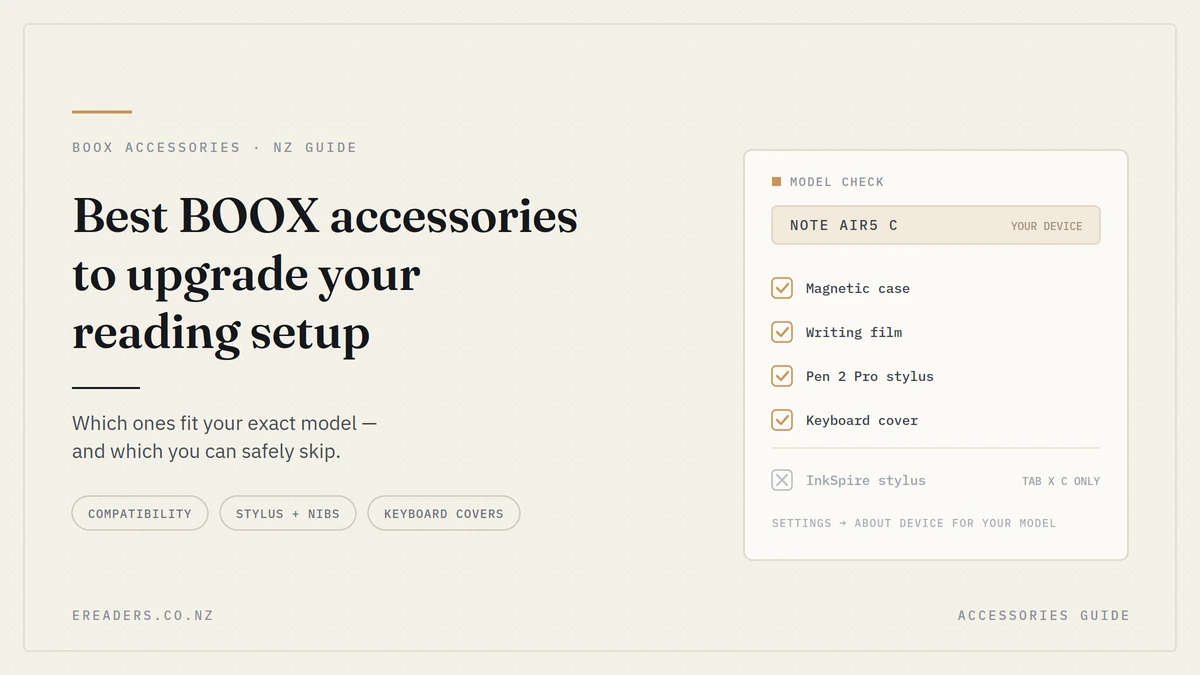
Fit is determined by your exact model and generation, not the family name. A case, stylus or writing film built for one device in a series frequently won’t work with the next one. Before you buy anything, open Settings on your device and read the full model name.
Write it down. “Note Air” isn’t specific enough. “Note Air5 C” is.
The three pairs people confuse most
- Go Color 7 vs Go Color 7 (Gen II). Different cases, and critically, the InkSense active stylus is specified for Go 7 and Go Color 7 (Gen II) — not the original.
- Note Air4 C vs Note Air5 C. Separate magnetic cases at similar prices. The Note Air5 C also has a keyboard cover option the Air4 C doesn’t.
- Tab X vs Tab X C. The InkSpire stylus with haptic feedback is specified for Tab X C only.
If your device name has a “Gen II”, a “C”, or a version number in it, that character is doing real work. Treat it as part of the model, not a suffix.
Where accessories do cross over
Some genuinely share. The 13.3″ magnetic case fits both the Note Max and the Tab X C, and the Note Max Keyboard Case is specified for both as well. If you own two large-format devices, that’s worth knowing before you buy twice.
The upgrade that changes the most for the least: writing film
If you write or annotate on your BOOX, a dedicated writing film changes the physical feel of pen on screen more than anything else you can buy and the 7-inch film starts at $6.34. It adds a fine texture so the nib has something to grip instead of skating across glass.
It also cuts reflections, which helps if you read near a window.
Two honest trade-offs, because nobody selling these mentions them:
- Texture slightly softens the image. Any matte layer scatters a little light. Text stays perfectly readable, but a fine-detail image is marginally less crisp than on bare glass.
- It wears nibs faster. That grip works both ways. Budget for replacement nibs sooner if you write daily.
If you only read novels and never pick up the pen, skip it. It’s an upgrade for writers, not readers.
Styluses: active vs passive, and why the cheaper one might be right
BOOX styluses split into two types. Passive pens need no charging and never run flat. Active pens add features like side buttons, tilt support and haptic feedback, but need power. Which you can use is decided by your device, not your budget.
That last point catches people out. The passive Pen 2 Pro is $145. The active InkSense is $84.53. The cheaper pen isn’t the lesser pen it’s the pen for a different device.
Passive: BOOX Pen 2 Pro $145
4,096 pressure levels, a digital eraser on the top with a spring-loaded feel, a 1.6mm nib and a 9.5mm grip. No pairing, no charging, no battery to go flat in the middle of a lecture. Magnetic, so it parks on the side of compatible devices.
For most note-takers on Note and Tab series devices, this is the sensible default.
Active: InkSense ($84.53) and InkSense Plus ($95)
Specified for the Go 7 and Go Color 7 (Gen II). 4,096 pressure levels, a multi-function side button, USB-C charging, a 1mm precision tip and a 12g metal body. The InkSense Plus ships with three nibs.
The side button is the real daily benefit switching between pen and eraser without reaching for a menu adds up over a long annotation session.
Active with haptics: InkSpire $209
Tab X C only. Adds tilt sensitivity, magnetic wireless charging and haptic feedback that simulates the vibration of a pen on paper. It’s the most expensive stylus in the range and by far the most narrowly compatible.
Worth it if you own a Tab X C and draw or write for hours. Irrelevant to everyone else and if you’re weighing pen options in detail, our stylus comparison goes deeper than this section does.
The accessory nobody talks about: nibs and tips
Nibs are consumables. They wear down with use, and a worn nib is the single most common reason a stylus that felt great in month one feels scratchy or imprecise by month eight. Replacement sets run $17–$30.
This is the highest-value purchase on the whole page. Thirty dollars restores the writing feel of a $145 pen.
Match the set to your pen:
- BOOX Stylus Tips ($30) — 1.6mm soft-texture tips for Pen Plus, Pen 2 Pro and the Triangular Pen.
- BOOX Active Stylus Nibs ($29) — five-pack for the active stylus range.
- InkSpire Pen Tips ($17) — 1mm tips, InkSpire only.
If you’ve fitted a writing film, check your nib sooner than you’d expect. The added texture speeds up wear.
Keyboard covers: turning a reading tablet into a writing machine
On 10.3″ and 13.3″ devices, a pogo-pin keyboard cover converts your tablet into a drafting machine with no Bluetooth pairing and no separate charging. The connection is physical, so it works the moment you attach it.
For anyone who writes long-form, this is the accessory that changes what the device is for. An E Ink screen with a real keyboard is about as distraction-free as writing gets.
What you gain
Full keyboard layout, a trackpad on some models, and adjustable viewing angles the Tab Ultra C Pro cover moves between 120° and 180°. No pairing menus, no third device to charge.
Current options:
| Keyboard cover | Fits | Price (inc GST) |
|---|---|---|
| Note Max Keyboard Case | Note Max, Tab X C | $249.00 |
| Note Air5 C Keyboard Cover | Note Air5 C | $218.99 |
| Tab Ultra C Pro Keyboard Cover | Tab Ultra C Pro | $205.68 |
What you give up
Weight, and a fair bit of it. The Note Air5 C keyboard cover is approximately 475g on its own roughly the weight of a second device in your bag. If you bought a lightweight ePaper tablet specifically to carry less, think carefully before you attach half a kilo to it.
A reasonable compromise: buy the keyboard, leave it on the desk, carry the tablet bare.
Cases: the stand angle matters more than the material
Nearly every official BOOX case uses synthetic leather with auto sleep/wake, so the material rarely decides anything. What actually differs is how the case holds your device and that’s what you should be comparing.
The functional variations:
- Magnetic flap as pen loop — the Go 10.3 case flap doubles as a stylus holder and detaches when you don’t want it.
- Tri-fold stand with two angles — the Tab Ultra C Pro case, for desk work at a comfortable viewing angle.
- Flip-fold kickstand — the Palma cases, for hands-free reading while you eat or cook.
- Multi-angle stands on the 13.3″ cases, which matter more as devices get larger and heavier to hold.
Prices span a wide range, from the Palma Flip-Fold at $12.60 through to the Note Air4 C Magnetic Case at $99.99.
For drop protection, screen protectors and the day-to-day habits that keep a device alive, our dedicated protection guide covers that ground properly this section is about function rather than defence.
The underrated one: a Bluetooth page-turning pedal
A wireless foot pedal ($147.92) turns pages without your hands leaving what they’re doing. It sounds like a novelty. For a specific set of people it’s the most useful accessory in the catalogue.
Who it genuinely serves:
- Musicians reading sheet music mid-performance, where letting go of an instrument isn’t an option.
- Anyone with limited hand mobility, arthritis or RSI, where repeated tapping is uncomfortable.
- Treadmill and exercise-bike readers, where reaching for the screen breaks your rhythm.
- Anyone reading while eating, cooking, or holding a sleeping baby.
Be clear about the flip side: most readers don’t need this. If tapping a screen has never bothered you, spend the money on a stylus or a keyboard instead.
Which accessories are worth it for how you actually read
Match the purchase to your actual use, not to a “best of” ranking. Most people need two or three items, not eight — and which two or three depends entirely on whether you read, annotate or draft.
| Accessory | What it changes | Best for | NZ price range | Skip if |
|---|---|---|---|---|
| Writing film | Pen feel, glare | Note-takers, annotators | $6.34+ | You never use a stylus |
| Passive stylus | Adds handwriting | Note and Tab series owners | ~$145 | You only read books |
| Active stylus | Side button, tilt, haptics | Go 7 / Go Color 7 Gen II, Tab X C | $84.53–$209 | Your device isn’t compatible |
| Replacement nibs | Restores writing feel | Anyone writing daily | $17–$30 | Your nib is still sharp |
| Magnetic case | Stand angle, sleep/wake | Everyone | $12.60–$99.99 | You already have one that fits |
| Keyboard cover | Long-form typing | Drafters, students, 10.3″+ owners | $205.68–$249 | You never type on it |
| Bluetooth pedal | Hands-free page turns | Musicians, mobility needs | $147.92 | Tapping works fine for you |
If you mostly read novels
A case, and that’s genuinely it. Maybe a film if you read in bright rooms. You don’t need a stylus, and any guide telling you otherwise is selling rather than advising.
If you study or annotate PDFs
Stylus, writing film, a spare nib set, and a case with a stand angle that works at a desk. That combination covers the whole workflow and costs less than a keyboard cover.
If you draft documents
The keyboard cover earns its price faster than a premium stylus does. Buy the mid-range pen and put the difference toward the keyboard.
Buying BOOX accessories in New Zealand: what to check
Four things worth confirming before you order locally: your exact model name, that pricing includes GST, that warranty and returns are handled in New Zealand, and that newer-generation items are actually in stock rather than backordered.
- Model name from Settings, not from memory or the box.
- GST-inclusive pricing means the number you see is the number you pay — no surprise at checkout, and no separate import duty.
- Consumer Guarantees Act cover applies when you buy from a New Zealand retailer, which is a meaningful difference from ordering direct from overseas.
- Prices move. Every figure in this article is current at the time of writing and several items are discounted; check the product page for today’s price.
FAQs
Will a BOOX case from an older model fit my new one?
Usually not. BOOX cases are cut for specific models, and even a same-name successor like the Go Color 7 (Gen II) typically needs its own case. A few large-format cases cross over the 13.3″ case fits both the Note Max and Tab X C but treat that as the exception.
Do I need a screen protector on an E Ink tablet?
Not strictly, and many owners never fit one. It’s more useful if you write with a stylus, carry the device loose in a bag, or want the matte anti-glare texture. Our protection guide goes into the detail.
Which BOOX stylus works with my device?
It depends on the exact model. The InkSense is specified for Go 7 and Go Color 7 (Gen II); the InkSpire is Tab X C only; the Pen 2 Pro suits a broader set of Note and Tab devices. Check your model name against the product page compatibility list before ordering, or ask us.
How often do stylus nibs need replacing?
It depends on how hard you press and how much you write, so there’s no fixed interval. Daily note-takers usually notice a difference within several months, sooner with a writing film fitted. If your pen feels scratchier or less precise than it used to, the nib is the first thing to check.
Is a writing film worth it if I already have a screen protector?
They serve different purposes and you generally fit one or the other, not both. A standard screen protector is about protection; a dedicated writing film is about pen texture. If you write regularly, the film is the more useful of the two.
Can I use a third-party stylus or case with BOOX?
Sometimes, but results vary and BOOX’s own pens are matched to the digitiser in each device. Third-party cases are lower risk than third-party pens. If handwriting accuracy matters to you, an official stylus is the safer purchase.
Do BOOX keyboard covers need charging or Bluetooth?
No. The official covers connect through pogo pins a physical contact connection so there’s no pairing and no separate battery to keep charged. Attach it and type.