You bought a BOOX tablet, or you’re about to and now you’re staring at a stylus lineup with names that sound like a Pokémon roster. Pen Plus. Pen2 Pro. Pen3. InkSense. InkSpire. Triangular Pen. BOOX makes six different styluses across three different technologies, and no single guide clearly explains which one goes with which device.
Pen Plus vs InkSense vs InkSpire
This Pen Plus vs InkSense vs InkSpire comparison fixes that. You’ll leave knowing exactly which pen your BOOX device uses, what each technology is genuinely good at, and whether the pen included in your box is enough or whether you should upgrade. No marketing spin, no exhaustive spec dumps. Just a decision framework built for NZ buyers.
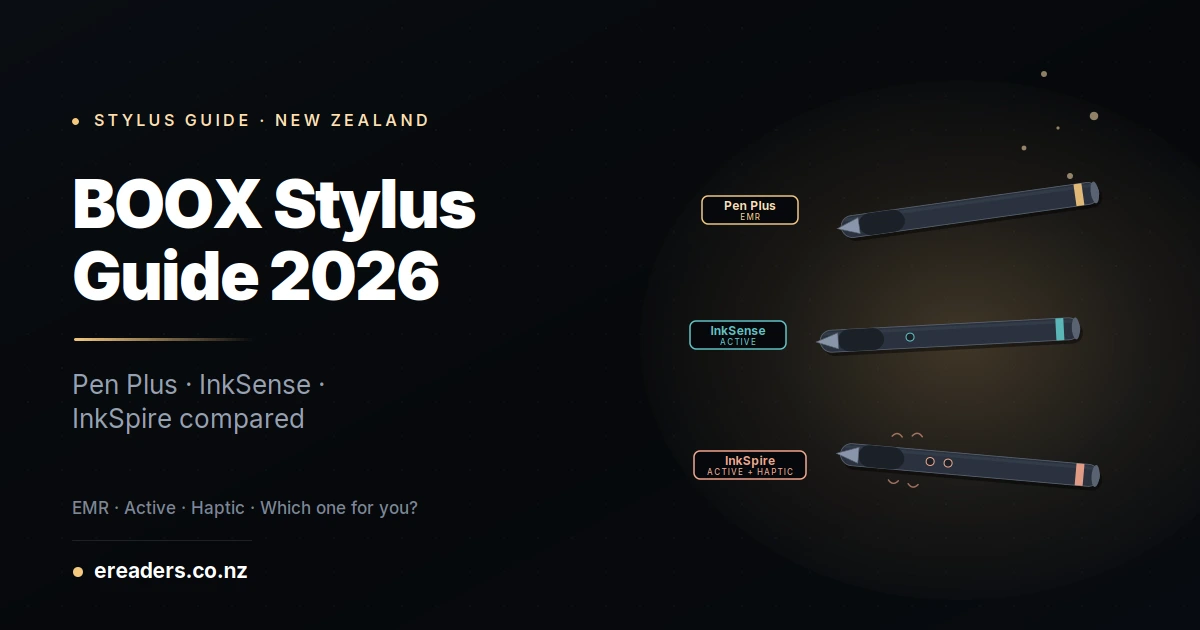
The 30-second answer which BOOX pen for which device
Three pens, three device families:
- Pen Plus (EMR family) → Note Max, Note Air 4 C, Note Air 5 C, older Note Air series, Go 10.3 (Gen 1). Also includes Pen2 Pro, Pen3, and the Triangular Pen all share the same EMR technology.
- InkSense (active pen) → Go 7, Go Color 7 (Gen II).
- InkSpire (active pen + haptic feedback) → Tab X C only.
Match the pen to the device. Cross-family swaps generally don’t work an InkSpire won’t function on a Note Max, and a Pen Plus won’t register on a Tab X C.
Understanding EMR vs Active the fundamental technology split
BOOX uses two fundamentally different stylus technologies. EMR (electromagnetic resonance) the Pen Plus family draws power from the tablet’s magnetic field, so there’s no battery in the pen. Active InkSense and InkSpire is a battery-powered capacitive pen that emits its own signal. Same job, very different daily experience.
How EMR works
EMR is the same underlying technology Wacom pioneered for professional drawing tablets in the 1990s. The tablet’s screen generates a low-power magnetic field. The pen contains a resonant circuit that draws power from this field wirelessly no internal battery required. The pen’s position and pressure are measured by the tablet through this magnetic interaction.
Result: the pen is passive, permanent, and effectively maintenance-free. There’s nothing to charge, nothing to break beyond the physical nib, and it never runs out at inconvenient moments.
How Active pens work
Active pens contain their own battery. They emit a capacitive signal that the tablet detects through its regular touchscreen digitiser. Because they’re battery-powered, they can include features EMR pens can’t: side buttons, LED indicators, wireless charging, and in the InkSpire’s case a vibrating haptic feedback motor.
Result: more features, but you’re charging another device, and if the battery dies mid-meeting, you’re back to typing.
The daily-use consequences
EMR wins on: longevity (no battery to fail), zero charging fuss, more accurate at high writing speeds, cheaper long-term (no battery degradation).
Active pens win on: modern features (side buttons, haptic feedback), integration with tablet UI (button-triggered shortcuts), room for future firmware updates that add capability.
Neither is “better.” It depends on what you actually want from your stylus.
BOOX Pen Plus (and the EMR family) deep dive
The Pen Plus is BOOX’s most-common EMR stylus, shipped with most current-generation note-taking tablets. 4,096 pressure levels, no battery required, ~21 ms latency, and Wacom-compatible technology. It’s the workhorse pen for serious writers and academics.
BOOX actually makes four pens in the EMR family. All four share the same core technology and the same 1.6 mm replacement nibs:
- Pen Plus — the standard EMR pen. Ships with most Note Air and Note Max tablets.
- Pen2 Pro — earlier flagship premium pen. Slightly heavier build, thicker grip.
- Pen3 — newest EMR pen (2025). Improved ergonomics, refined balance.
- Triangular Pen — ergonomic three-sided grip for reduced fatigue on long writing sessions.
If your device came with a Pen Plus, upgrading to a Triangular Pen for ergonomics is a legitimate reason to swap. Upgrading Pen Plus to Pen2 Pro or Pen3 is usually cosmetic you get a nicer feel in the hand, but the writing performance is nearly identical.
What it’s best for
Heavy writers. Academics reading and annotating PDFs. Students taking pages of handwritten notes. Anyone who values “just works, no charging, no battery” reliability over features.
Limitations
No side buttons for shortcuts. No haptic feedback. No wireless charging (because no battery). If you want any of those features, you need an active pen which means either an InkSense or an InkSpire.
BOOX InkSense the value active pen
The InkSense is a capacitive active pen shipped with (or compatible with) the Go 7 and Go Color 7 (Gen II). Rechargeable via USB-C, magnetic side attachment to the tablet, and one programmable button. It’s the right technology for BOOX’s smaller Go-series tablets, which don’t include the EMR digitiser layer required for the Pen Plus family.
What it’s best for
Casual note-taking, PDF annotation, and light sketching on the Go 7 or Go Color 7 Gen II. If you own either of those tablets, the InkSense is your only serious pen option you can’t retrofit an EMR pen to them.
Limitations
Battery to charge (typically weekly with moderate use). Slightly higher latency than EMR (~30 ms vs 21 ms). No haptic feedback. Less accurate than EMR at high writing speeds. For casual annotation, none of this matters much. For serious writing, EMR-based tablets (Note Air 4 C, Note Max) are the better choice.
BOOX InkSpire the premium active pen with haptic feedback
The InkSpire is BOOX’s most advanced active pen, designed exclusively for the Tab X C. It adds a built-in haptic feedback motor that vibrates as you write to simulate the drag and texture of pen on paper. Rechargeable via wireless magnetic charging on the tablet’s side edge. Multiple side buttons. Distinctive but polarising some users love the tactile feedback, others find it gimmicky.
What it’s best for
Artistic work on the Tab X C. Users who specifically want the paper-simulating haptic experience. Buyers who prioritise a premium modern-feeling stylus over EMR simplicity.
Limitations
Tab X C exclusive won’t work with any other BOOX device. Battery to manage (though wireless charging is convenient). Some users report the haptic feedback feels artificial or distracting on long writing sessions. If you’re not sure whether haptic feedback is for you, try it before committing.
Head-to-head comparison
| Feature | Pen Plus (EMR family) | InkSense (Active) | InkSpire (Active + Haptic) |
|---|---|---|---|
| Technology | EMR (electromagnetic) | Active capacitive | Active capacitive + haptic |
| Battery in pen | No | Yes (USB-C rechargeable) | Yes (wireless magnetic) |
| Pressure levels | 4,096 | ~4,096 | 4,096+ |
| Haptic feedback | No | No | Yes |
| Side buttons | None | 1 button | Multiple buttons |
| Latency (approx) | 21 ms | 30 ms | 30 ms |
| Compatible devices | Note Max, Note Air 4C/5C, older Note Air, Go 10.3 Gen 1 | Go 7, Go Color 7 Gen II | Tab X C only |
| Replacement tip | 1.6 mm EMR nib | InkSense-specific tips | InkSpire-specific tips |
| Best for | Heavy writing, no-fuss use | Casual annotation on small tablets | Artistic work, tactile-preference users |
Which pen actually comes with each BOOX device?
Most BOOX flagship tablets include the correct pen in the box. Exception: some Tab X C bundles ship without the InkSpire verify the specific package contents before ordering. Buyers upgrading from older devices, replacing lost pens, or looking to try a different pen model need to buy separately.
Full inclusion table by device:
| BOOX Device | Included Pen | Compatible Alternative |
|---|---|---|
| Note Max | Pen Plus | Pen2 Pro, Pen3, Triangular Pen |
| Note Air 4 C | Pen Plus | Pen2 Pro, Pen3, Triangular Pen |
| Note Air 5 C | Pen Plus | Pen2 Pro, Pen3, Triangular Pen |
| Go 10.3 (Gen 1) | Pen Plus | Pen2 Pro, Pen3, Triangular Pen |
| Tab X C | InkSpire (check bundle) | InkSpire is the only option |
| Go 7 | InkSense (some bundles) | InkSense is the only option |
| Go Color 7 (Gen II) | InkSense (some bundles) | InkSense is the only option |
If you own an older BOOX and want to upgrade
Older BOOX tablets (Note Air 2, Note5, Max Lumi 2, Nova Air C) came with earlier EMR pens like the Pen2 Pro. All current EMR pens Pen Plus, Pen3, Triangular Pen are backward-compatible with these older devices. Same 1.6 mm nibs, same wireless power interaction. Upgrading is straightforward.
Should you actually upgrade your included pen?
For most users, the included pen is genuinely fine. Upgrade scenarios:
- You write for hours daily → upgrade to Triangular Pen for grip ergonomics and reduced fatigue
- You want side buttons for shortcuts → only active pens (InkSense, InkSpire) offer this
- You specifically want haptic feedback → only the InkSpire offers this, and only on the Tab X C
- Your original pen is lost or broken → order the exact same model or a compatible variant
Otherwise, save the money. The included pen is calibrated to your tablet by the manufacturer and covers most use cases well.
When ergonomic upgrades pay off
If you write more than 2 hours per day on your BOOX tablet, the ergonomic difference between Pen Plus and Triangular Pen genuinely matters. Users report reduced hand fatigue with the Triangular Pen’s three-sided grip during long writing sessions. Under 2 hours per day, the difference is barely noticeable.
The Triangular Pen premium worth it?
Roughly 20-30% more expensive than the standard Pen Plus, delivering only ergonomic benefits (same writing technology, same pressure levels, same latency). Worth it for heavy daily writers; overkill for casual users.
NZ-specific considerations
BOOX pens are region-agnostic same hardware works globally. What NZ buyers should think about:
Warranty and support: buying through an NZ retailer like ereaders.co.nz means warranty claims stay local under Consumer Guarantees Act protections. Grey imports go through BOOX’s international support, adding freight cost and delay for any defects.
Replacement tip availability: stylus tips are consumables. Genuine BOOX 1.6 mm nibs (for the EMR family) and InkSpire/InkSense-specific tips need to be sourced through your reseller. Order a spare pack when buying your pen saves a separate freight charge later.
Bundle vs standalone pen ordering: if you’re buying a BOOX tablet, check whether the included pen matches your needs. Ordering the pen with the tablet saves shipping vs adding it later.
FAQs
Can I use a Pen Plus on my Tab X C?
No. The Tab X C uses a different digitiser technology (capacitive active, not EMR), so a Pen Plus won’t register any input. Tab X C works only with the InkSpire no exceptions.
Which BOOX pen is best for taking notes?
For heavy writing, the Pen Plus family (EMR) is genuinely better lower latency, no battery to charge, more accurate at speed. If your tablet uses an EMR pen, that’s your best note-taking option. If you’re on a Go 7 or Go Color 7 Gen II (which need the InkSense), the InkSense is fine for note-taking but less optimised for heavy volume.
Do I need to charge the Pen Plus?
No. The Pen Plus and other EMR-family pens (Pen2 Pro, Pen3, Triangular Pen) draw power wirelessly from the tablet’s magnetic field. They have no internal battery and require no charging.
Why does BOOX have so many different pens?
Because different tablets use different digitiser technologies. The larger note-taking flagships (Note Max, Note Air 4/5 C) have EMR digitisers and need EMR pens. The smaller Go-series tablets don’t have EMR layers, so they use active capacitive pens (InkSense). The Tab X C uses a more advanced active layer that supports haptic feedback (InkSpire). Each pen matches its tablet’s specific technology.
Is the InkSpire haptic feedback actually useful or just gimmicky?
Genuinely divisive. Some users love it and describe writing on the Tab X C as the most paper-like feel they’ve experienced on any e-ink tablet. Others find the vibration distracting or fatiguing over long sessions. If possible, try it before committing the haptic experience is subjective in a way that spec sheets don’t capture.
Can I use a Wacom pen on my BOOX?
Sometimes, yes. BOOX’s EMR digitiser is Wacom-compatible, so many Wacom EMR pens (including third-party Wacom-compatible styluses) work on Note Air, Note Max, and Go 10.3 Gen 1. They won’t work on InkSense or InkSpire tablets. Even where compatible, BOOX’s own pens are optimised for BOOX’s specific screen coating third-party pens can work but may feel slightly different.
Which pen has the best writing feel?
Personal preference, but the EMR family (Pen Plus, Pen3, Triangular Pen) is consistently rated closest to real pen-on-paper writing feel by heavy users. The InkSpire’s haptic feedback is a distinctive experience but subjective. The InkSense is competent but not the sharpest option a limitation of the smaller tablets it partners with rather than the pen itself.