
Used BOOX Tab Series
The Tab Series is the top of the BOOX range: fastest processors, Super Refresh, keyboard cover support, and the only models that come in 13.3 inches. It’s also the most expensive range to buy new.
Most of our used Tab stock is customer returns devices that came back within the returns window, were tested for full functionality, and may carry light cosmetic wear such as fine scratches. Mechanically sound, cosmetically imperfect, meaningfully cheaper.
If you can live with a mark you’d have put there yourself within a month, this is the best value in the entire BOOX lineup.
What “used” means here
- Mostly customer returns, not heavily used devices
- Tested for full functionality before listing
- May show light cosmetic wear — fine scratches on the shell or bezel
- Accessories vary by model — check the individual listing
Every unit is tested before listing
- Screen — scratches, marks, dead pixels, ghosting behaviour
- EMR stylus and touch response across the full display
- Writing latency against expected performance for the model
- Front light — brightness and colour temperature range
- Battery health, tested against original capacity
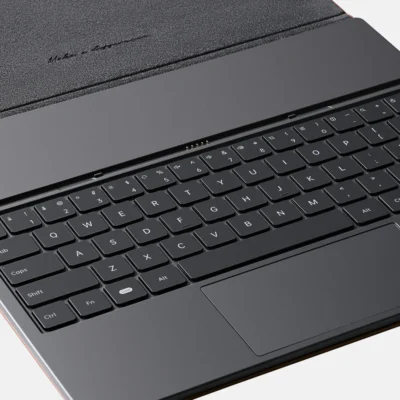
- Keyboard cover pogo pins on models that support them
- Buttons, ports, USB-C charging
- Wi-Fi, Bluetooth, audio
- Full factory reset and current firmware
Your rights buying used in New Zealand
Second-hand goods from a retailer are covered by the Consumer Guarantees Act, which requires acceptable quality given age, price and stated condition. Customer returns sold as tested and functional carry that obligation.
Size first: 10.3 or 13.3?
This is the decision that matters, and it matters more than which generation you pick.
10.3-inch — shows A4 at close to native size. Fits in a normal bag, comfortable to hold, works as a daily-carry notebook. This is the practical size for most people.
13.3-inch — shows A4 with room for margins, and genuinely handles two documents side by side. It’s a desk device. Engineering drawings, sheet music, technical schematics, legal documents with annotations in the margin, spreadsheets.
Be honest about which you are. A 13.3 that lives on a desk is superb; a 13.3 you meant to carry daily is a device you’ll leave at home.
The range
| Model | Screen | Colour | Keyboard cover | Best for |
|---|---|---|---|---|
| Tab Ultra | 10.3″ mono | No | Yes | Laptop-like ePaper productivity |
| Tab Ultra C | 10.3″ Kaleido 3 | Yes, 4,096 | Yes | Colour documents, diagrams, comics |
| Tab Ultra C Pro | 10.3″ Kaleido 3 | Yes | Yes | Fastest 10.3, heavy multitasking |
| Tab X | 13.3″ mono | No | Yes | Large technical documents, A4 with margins |
| Tab X C | 13.3″ colour | Yes | Yes | Colour drawings, spreadsheets, presentations |
Tab Ultra — the practical flagship
10.3-inch mono, Super Refresh, keyboard cover support. Fast enough for real Android multitasking, and the mono screen is brighter and better for text than any colour model.
If your work is documents and writing rather than diagrams, this is the sensible buy and used, it undercuts newer colour models substantially.
Tab Ultra C — colour at 10.3
Kaleido 3 with 4,096 colours. Worth it for diagrams, presentations, colour-coded annotation, magazines and comics.
Honest note: colour E Ink is dimmer than mono and needs more front light. Buy it for content that needs colour, not because colour sounds better.
Tab Ultra C Pro — the fast one
The performance model in the 10.3 range. Faster processor, better handwriting and note organisation, keyboard cover compatibility.
Worth the premium if you multitask heavily or write for hours. If you mainly read and annotate, a used Tab Ultra does that job for less.
Tab X — the large-format one
13.3 inches of monochrome E Ink. This is the model engineers, architects and lawyers buy, because A4 with margins and genuine split-screen change how you work with technical documents.
It’s also a desk device. Know that before you buy.
Tab X C — large-format colour
13.3 inches with colour, for technical drawings, spreadsheets and presentations where colour carries meaning. The most specialised device in the range, and the one where used pricing makes the biggest absolute difference.
What all of them do
- BOOX Super Refresh — noticeably smoother scrolling and less ghosting than older E Ink devices
- EMR stylus with low-latency handwriting
- PDF annotation — highlight, underline, margin notes, export with annotations intact
- Android with Google Play — OneNote, Evernote, Kindle, Kobo, Drive, Dropbox, Office
- Format support — PDF, EPUB, MOBI, DOCX, PPT, TXT, CBZ, CBR and more
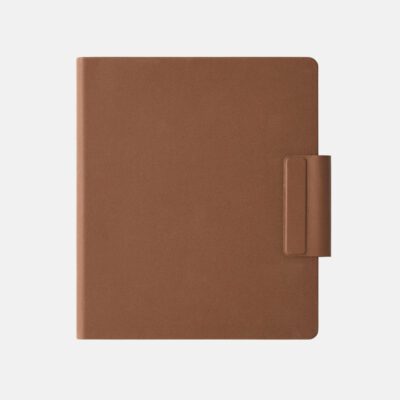
- Keyboard cover support, which turns any of them into a distraction-free drafting machine
- Days of battery, because E Ink only draws power when the image changes
Who it suits
- Engineers and architects — technical drawings at readable scale on the 13.3 models
- Lawyers and consultants — long documents with margin annotation
- Academics and researchers — papers side by side
- Writers — keyboard cover plus E Ink is about as distraction-free as drafting gets
- Students on heavy-reading degrees
- Anyone wanting flagship ePaper without the flagship price
Why used, and why from us
- Tested before listing, including stylus and writing performance
- Mostly customer returns rather than heavily used devices
- Consumer Guarantees Act cover, unlike a private sale
- Factory reset and firmware updated before dispatch
- NZ-based support if something isn’t right
- A used Tab X often costs less than a new 10.3 — which is the real argument for buying pre-owned in this range
- Keeps a working device in use instead of manufacturing another
 No products in the cart.
&url=https://ereaders.co.nz/shop/used-boox-tab-series/&media=https://ereaders.co.nz/wp-content/uploads/2026/07/USED-DEVICE-1-1024x683.png)


Reviews
There are no reviews yet.