
Used BOOX Note Series
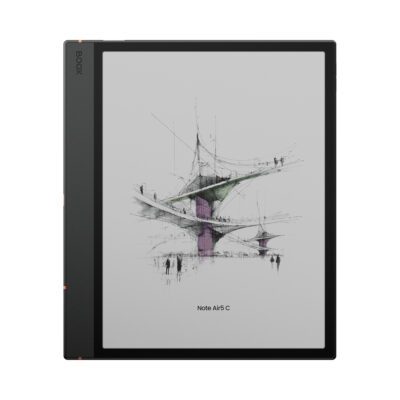
The Note Series has been through Note Air 2, Air 2 Plus, Air 3, Air 3 C and Air 4 C. Every one is a 10.3-inch ePaper tablet running Android with a stylus. The changes between them are real but incremental faster processors, better refresh handling, colour on the C models.
Which means the used market for these is unusually good value. An older generation still does the core job reading, annotating and handwriting on a large E Ink screen for considerably less than the current model.
The question isn’t “which is newest.” It’s “which improvement do I actually need.”
Every unit is tested and graded before listing
Nothing gets listed until it’s been through the same process:
- Screen — scratches, marks, dead pixels, ghosting behaviour
- Stylus and touch response across the full display, corner to corner
- Writing latency checked against expected performance for that generation
- Front light — brightness and colour temperature range where fitted
- Battery health, tested against original capacity
- Buttons, ports, USB-C charging
- Wi-Fi, Bluetooth and audio
- Full factory reset and current firmware for that model
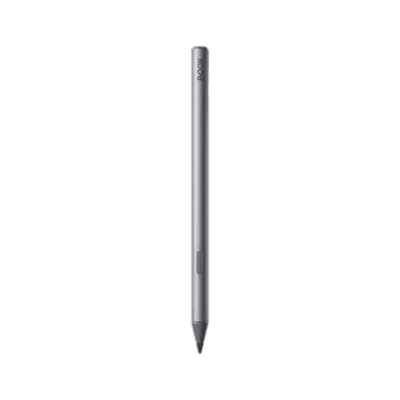
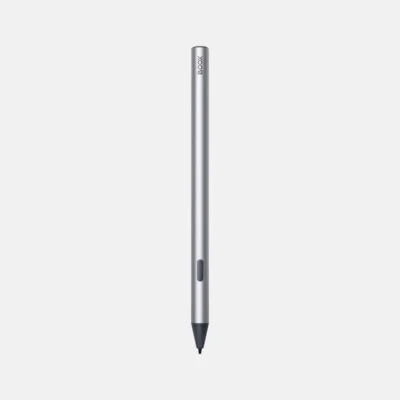
Stylus performance matters more on this range than on any other, so it’s checked properly rather than assumed.
Your rights buying used in New Zealand
Second-hand goods from a retailer are covered by the Consumer Guarantees Act, which requires acceptable quality given age, price and stated condition. That’s the practical difference between buying here and buying privately.
Which generation should you buy?
All five are 10.3-inch, all run Android with Google Play, all take a stylus, all annotate PDFs. Here’s what actually changed.
| Model | Display | Colour | Key improvement | Buy this if |
|---|---|---|---|---|
| Note Air 2 | 10.3″ mono | No | The baseline — aluminium build, front light | Budget matters most and you mainly read and annotate |
| Note Air 2 Plus | 10.3″ mono Carta | No | Larger battery, faster processor, USB-C | You want longer between charges |
| Note Air 3 | 10.3″ mono Carta 1200 | No | BOOX Super Refresh, better handwriting tools | Writing feel is your priority |
| Note Air 3 C | 10.3″ Kaleido 3 | Yes | Colour, plus Air 3 improvements | You annotate in colour or read illustrated material |
| Note Air 4 C | 10.3″ Kaleido 3 | Yes | Best performance, advanced note organisation | You want current-generation and will use the organisation tools |
The honest verdict on generations
If you mainly read and annotate PDFs, an Air 2 or Air 2 Plus does that job completely. The newer models are faster and smoother; they don’t do anything the older ones can’t. This is where the used market is genuinely excellent value.
If handwriting is your primary use, the jump to Air 3 is the one worth paying for. BOOX Super Refresh and the improved handwriting tools make a difference you’ll notice every day, not just on a spec sheet.
If you want colour, that’s Air 3 C or Air 4 C and it’s a real decision rather than an upgrade. Colour E Ink is dimmer than monochrome and uses more front light. Buy it because you annotate in colour or read illustrated material, not because colour sounds better.
Air 4 C is the current generation and priced accordingly, even used. Worth it if you’ll genuinely use the note organisation tools; otherwise the Air 3 C gets you colour for less.
What all of them do
- 10.3-inch ePaper — A4 at close to native size, which is what makes PDF work bearable
- Stylus handwriting with low latency and a paper-like feel
- PDF annotation — highlight, underline, write in the margin, export with annotations intact
- Android with Google Play — OneNote, Evernote, Kindle, Kobo, Drive, Dropbox all install normally
- Format support — EPUB, PDF, MOBI, DOCX, PPT, TXT, CBZ, CBR and more
- Days of battery, because E Ink only draws power when the image changes
- Cloud sync so notes don’t get stranded on the device
That last point deserves emphasis. A beautiful handwritten note you can’t get off the device is a note you’ll stop making. Check the export and sync options match the tools you already use.
Who it suits
- Students working through course PDFs and lecture notes
- Academics and researchers annotating papers
- Lawyers and consultants marking up documents
- Writers who draft by hand
- Professionals in back-to-back meetings who want notes without a laptop screen between them and the room
- Anyone testing whether an ePaper notebook suits them before paying new prices
Honest positioning: this isn’t a laptop replacement. No video calls, no spreadsheets, no fast web apps. It replaces a paper notebook and a stack of printed PDFs which, if that’s most of your day, is a substantial change.
And at 10.3 inches, it’s a desk-and-bag device rather than a pocket one. If you want something to read novels on in bed, look at the Go or Palma range instead.
Why used, and why from us
- Tested and graded, including stylus and writing performance
- Consumer Guarantees Act cover, unlike a private sale
- Factory reset and firmware updated before dispatch
- NZ-based support if something isn’t right
- A used Air 3 often costs less than a new entry model — the real argument for buying pre-owned
- Keeps a working device in use rather than manufacturing another
 No products in the cart.


&url=https://ereaders.co.nz/shop/used-boox-tab-series/&media=https://ereaders.co.nz/wp-content/uploads/2026/07/USED-DEVICE-1-1024x683.png)


Reviews
There are no reviews yet.