What Is E Ink Technology?
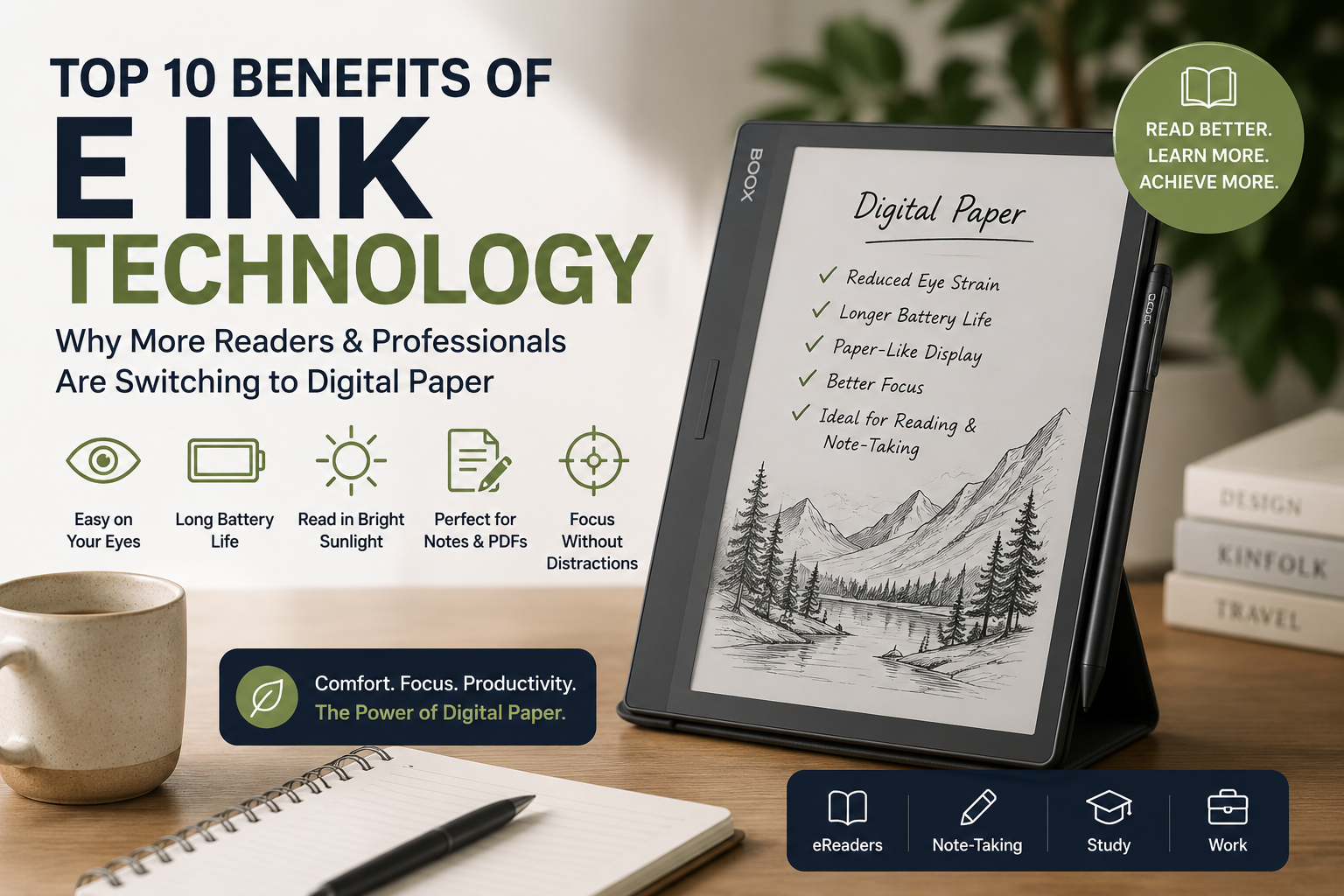
E Ink technology is a type of electronic paper display (ePaper display) that mimics the appearance of ink on paper. Unlike traditional LCD or OLED screens, E Ink reflects ambient light instead of emitting light directly into your eyes. This creates a paper-like screen experience that is easier to read for long periods, consumes significantly less power, and remains visible even in bright sunlight.
For students, professionals, researchers, and avid readers, E Ink technology offers a practical alternative to conventional screens by combining the convenience of digital devices with the comfort of reading on paper.
Why E Ink Technology Is Becoming More Popular
Many people spend eight or more hours each day looking at computers, tablets, and smartphones. While these devices are incredibly useful, prolonged screen exposure can contribute to eye fatigue, distractions, and shorter battery life.
Modern eReaders and E Ink tablets from brands such as BOOX, Onyx BOOX, Kindle, Kobo, and PocketBook are changing how people read, study, annotate documents, and manage information. Whether you’re reading novels, reviewing research papers, or taking handwritten notes, E Ink devices provide a focused and comfortable digital experience.
Let’s explore the top 10 benefits of E Ink technology and why it continues to gain popularity across New Zealand and worldwide.
Top 10 Benefits of E Ink Technology
1. Significantly Reduced Eye Strain
One of the biggest reasons people switch to E Ink devices is comfort.
Traditional LCD screens continuously shine light toward your eyes. E Ink displays work differently by reflecting natural light, much like printed paper.
Benefits include:
- Less visual fatigue during extended reading sessions
- More comfortable studying and note-taking
- Reduced screen glare
- Easier reading in bright environments
Students preparing for exams and professionals reading lengthy reports often notice the difference after just a few days of use.
Real-World Example
A university student reading course materials for three hours on an E Ink tablet typically experiences less eye discomfort than someone using a standard tablet.
2. Exceptional Battery Life
Battery performance is one of the most impressive advantages of electronic ink technology.
Unlike traditional displays that constantly refresh and consume power, E Ink displays only use energy when content changes.
Many eReaders can last:
| Device Type | Typical Battery Life |
|---|---|
| Smartphone | 1–2 Days |
| Tablet | 1–3 Days |
| Laptop | 5–15 Hours |
| E Ink eReader | Several Weeks |
| BOOX Note Devices | Days to Weeks |
This makes E Ink devices ideal for:
- Travel
- University classes
- Business meetings
- Field research
- Daily commuting
Users can spend more time reading and less time searching for chargers.
3. Paper-Like Reading Experience
The term digital paper is often used to describe E Ink displays because they closely resemble real paper.
Unlike glossy screens, E Ink offers:
- Crisp text rendering
- High readability
- Minimal reflections
- Comfortable page viewing
This experience feels remarkably similar to reading a printed book, which explains why many readers prefer E Ink over traditional tablets.
For avid readers who spend hours enjoying novels or nonfiction, the paper-like screen can make reading more enjoyable and immersive.
4. Excellent Outdoor Visibility
Have you ever tried reading on a tablet at the beach or in direct sunlight?
Most LCD screens become difficult to see outdoors due to glare and reflections.
E Ink displays excel in bright environments because they use reflected light rather than backlighting.
Ideal Outdoor Use Cases
- Reading at parks
- Studying on campus
- Traveling
- Working outdoors
- Reading during lunch breaks
The brighter the sunlight, the easier an E Ink screen often becomes to read.
5. Better Focus and Fewer Distractions
One overlooked benefit of E Ink technology is improved concentration.
Many E Ink devices are designed specifically for:
- Reading
- Writing
- Annotation
- Research
Unlike smartphones, they are not constantly competing for your attention with notifications, videos, and social media alerts.
Why This Matters
Students can focus on coursework.
Researchers can review academic papers without distractions.
Professionals can annotate documents and take notes more effectively.
For people pursuing deep work, distraction reduction can be just as valuable as eye comfort.
6. Powerful Digital Note-Taking Capabilities
Modern E Ink tablets have evolved far beyond simple eReaders.
Devices from BOOX and Onyx BOOX now include advanced handwriting features that allow users to:
- Take handwritten notes
- Annotate PDFs
- Organize notebooks
- Sketch diagrams
- Convert handwriting to text
This creates an efficient paperless workflow while maintaining the natural feel of writing on paper.
Popular Uses
- University lecture notes
- Meeting notes
- Project planning
- Research organization
- Personal journaling
Professionals looking for a digital notebook often find E Ink devices to be an ideal solution.
7. Supports Multiple Reading and Productivity Apps
Today’s E Ink tablets offer impressive flexibility.
Many BOOX devices support:
- Kindle App
- Kobo App
- PDF readers
- Microsoft Office files
- Cloud storage platforms
- Academic research tools
This means users are not restricted to a single bookstore or ecosystem.
BOOX vs Traditional eReaders
| Feature | BOOX | Kindle | Kobo |
| Android OS | Yes | No | No |
| App Installation | Yes | Limited | Limited |
| Handwriting Support | Extensive | Limited | Limited |
| PDF Annotation | Excellent | Basic | Moderate |
| Productivity Features | Advanced | Reading Focused | Reading Focused |
For users who need both reading and productivity tools, BOOX tablets often provide greater versatility.
8. Eco-Friendly and Paper-Saving
Many organizations, students, and professionals are working toward reducing paper consumption.
E Ink devices support this goal by allowing users to:
- Store thousands of books
- Digitize notebooks
- Annotate documents electronically
- Maintain searchable archives
Over time, this can significantly reduce paper usage while improving document organization.
For environmentally conscious consumers, digital paper technology offers practical sustainability benefits.
9. Ideal for Academic and Professional Workflows
Researchers, educators, and business professionals often manage large amounts of information daily.
E Ink tablets simplify this process through:
Research Management
- Reading journal articles
- Highlighting important sections
- Organizing references
- Annotating PDFs
Professional Productivity
- Reviewing contracts
- Editing documents
- Conducting meetings
- Taking structured notes
Educational Benefits
- Digital textbooks
- Assignment review
- Lesson planning
- Study organization
This combination of reading comfort and productivity functionality makes E Ink technology particularly valuable for knowledge workers.
10. Continuous Innovation and Better Technology
E Ink technology continues to evolve rapidly.
Recent advancements include:
- Faster refresh rates
- Color E Ink displays
- Improved handwriting latency
- Better PDF performance
- Enhanced Android integration
- Larger display options
Manufacturers such as BOOX, Kindle, Kobo, and PocketBook continue investing heavily in improving the electronic paper display experience.
As the technology matures, E Ink devices are becoming increasingly capable replacements for traditional tablets in many use cases.
E Ink vs LCD Screens: Which Is Better?
The answer depends on your primary use case.
| Feature | E Ink Display | LCD/OLED Screen |
| Reading Comfort | Excellent | Moderate |
| Outdoor Visibility | Excellent | Moderate |
| Battery Life | Excellent | Moderate |
| Video Playback | Poor | Excellent |
| Eye Comfort | Excellent | Moderate |
| Productivity Notes | Excellent | Good |
| Color Performance | Limited | Excellent |
Choose E Ink If You:
- Read daily
- Study regularly
- Annotate documents
- Take handwritten notes
- Want better battery life
- Prefer focused work sessions
Choose LCD If You:
- Watch videos frequently
- Play games
- Need rich color accuracy
- Use multimedia applications heavily
How to Choose the Right E Ink Device
Before purchasing an E Ink device, consider:
Reading-Focused Users
Look at:
- Kindle
- Kobo
- PocketBook
These are ideal for books and casual reading.
Productivity-Focused Users
Consider:
- BOOX Note Series
- Onyx BOOX Tablets
These offer advanced note-taking and document management capabilities.
Students
Prioritize:
- PDF annotation
- Handwriting support
- Cloud synchronization
- Split-screen functionality
Professionals
Look for:
- Large screen sizes
- Document markup tools
- Office compatibility
- Long battery life
Why BOOX Devices Are Popular in New Zealand
Interest in BOOX NZ devices has grown steadily because they combine reading, note-taking, and productivity features in a single device.
Popular benefits include:
- Android flexibility
- Access to Kindle and Kobo apps
- Professional note-taking features
- Strong PDF support
- Multiple screen sizes
For users searching for premium eReaders NZ options, BOOX devices offer a compelling balance between reading and productivity.
Common Mistakes Buyers Make
Before purchasing an E Ink device, avoid these common mistakes:
Buying Solely Based on Screen Size
A larger screen is helpful for PDFs but may reduce portability.
Ignoring Software Features
Different brands offer very different software experiences.
Assuming All E Ink Devices Are Identical
Reading-focused eReaders and productivity-focused E Ink tablets serve different purposes.
Not Considering Your Workflow
Students, researchers, professionals, and casual readers often require different features.
Frequently Asked Questions
Is E Ink technology better for your eyes?
E Ink displays are generally more comfortable for extended reading because they mimic paper and reflect ambient light rather than emitting light directly toward your eyes.
Can BOOX devices run Kindle and Kobo apps?
Yes. Many BOOX devices use Android and can install Kindle, Kobo, and other reading applications, giving users greater flexibility than many traditional eReaders.
Is E Ink good for studying?
Yes. E Ink devices are excellent for studying because they reduce distractions, support note-taking, and provide comfortable long-form reading.
What is the difference between E Ink and LCD screens?
E Ink uses reflective technology that resembles paper, while LCD screens emit light. E Ink typically offers better reading comfort and battery life.
Are E Ink tablets worth it for professionals?
For professionals who frequently read documents, annotate PDFs, or take meeting notes, E Ink tablets can significantly improve workflow efficiency.
Which BOOX model is best for note-taking?
The best option depends on your workflow. Devices in the BOOX Note Series are popular among students, researchers, and professionals because they balance screen size with portability.
Can E Ink displays show color?
Yes. Modern color E Ink displays exist, though color performance differs from traditional LCD and OLED screens.
E Ink Corporation Research – Reference in the battery life and display technology sections to explain how electronic paper works.
Final Thoughts: Are the Top 10 Benefits of E Ink Technology Worth It?
The top 10 benefits of E Ink technology go far beyond simple reading comfort. Reduced eye strain, exceptional battery life, paper-like readability, distraction-free focus, advanced note-taking capabilities, and strong productivity features make E Ink devices a compelling choice for modern readers and professionals.
Whether you’re a student reviewing course materials, a researcher analyzing papers, or a professional managing documents, E Ink technology offers a more focused and comfortable digital experience than many conventional screens.
If you’re ready to explore the latest eReaders, BOOX tablets, and digital paper devices, browse the full collection available at eReaders New Zealand and find the option that best fits your reading, studying, and productivity needs.