
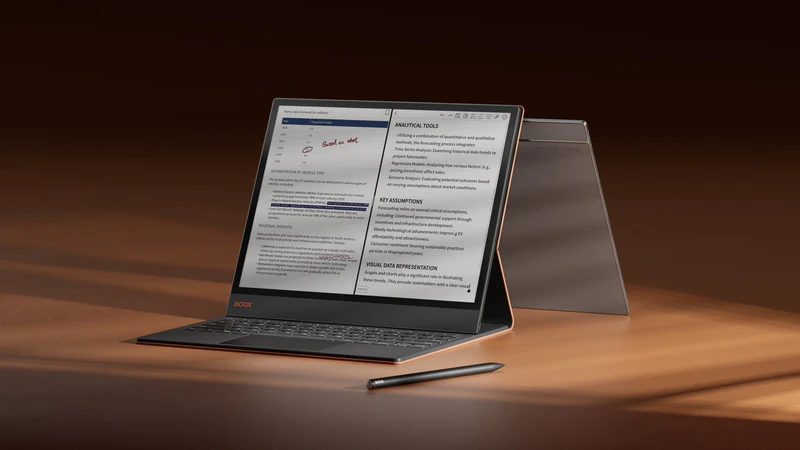
BOOX Magnetic Keyboard Cover with Trackpad for Note Max & Tab X C
Transform your 13.3″ BOOX tablet into a powerful productivity workstation with the BOOX Magnetic Keyboard Cover featuring an integrated trackpad. Designed specifically for the Note Max and Tab X C, this premium accessory offers seamless pogo-pin connectivity, distraction-free typing, and professional-grade functionality for enhanced productivity.
Key Features
- Pogo-Pin Connectivity: Instant connection with no Bluetooth pairing or external power required
- Integrated Trackpad: Built-in precision trackpad for seamless navigation and control
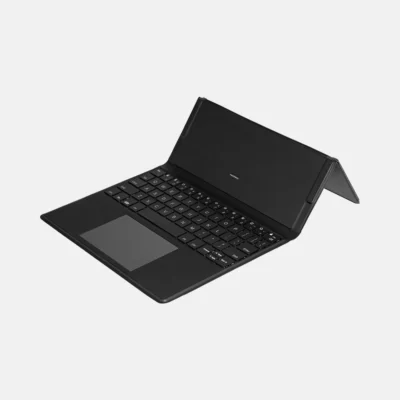
- Full QWERTY Layout: Complete keyboard with all letters, numbers, symbols, and shortcuts
- 51 Language Support: Comprehensive language layout compatibility
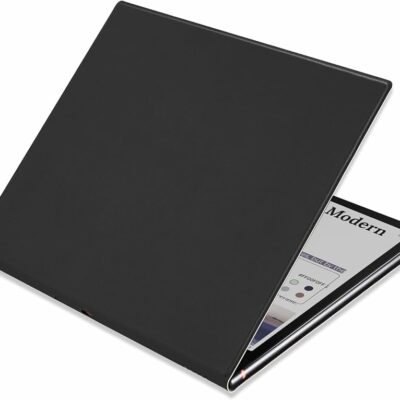
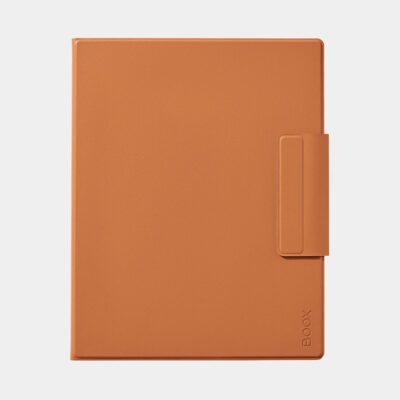
- Premium Protection: Magnetic folio design protects front and back of device
- Instant Activation: Keyboard activates immediately upon magnetic attachment
- Professional Design: Premium PU leather construction with anti-fingerprint material
Revolutionary Pogo-Pin Technology
Experience seamless connectivity and instant productivity:
- Instant Connection: Pogo-pin connectors attach securely for immediate keyboard activation
- No External Power: Keyboard powered directly by tablet through connection pins
- No Bluetooth Required: Direct connection eliminates pairing hassles and latency
- Secure Attachment: Magnetic design ensures stable connection during use
- Plug-and-Play: Simply attach and start typing immediately
Enhanced Productivity Features
Designed for professional workflows and distraction-free productivity:
- Laptop-Like Experience: Transform tablet into a complete workstation
- Split-Screen Ready: Perfect for multitasking workflows
- Integrated Shortcuts: Quick access to multitasking, screen lock, and system functions
- Precise Navigation: Built-in trackpad with smart gesture support
- Professional Typing: Full-size keys for comfortable extended typing sessions
- Distraction-Free Focus: Pairs with ePaper display to minimize distractions
Seamless Trackpad Integration
Advanced navigation capabilities built right into the keyboard:
- Precision Control: Accurate cursor movement and navigation
- Multi-Touch Support: Gesture recognition for enhanced productivity
- Click Functionality: Left and right click capabilities
- Scroll Support: Natural scrolling through documents and web pages
- Smart Gestures: Customizable gestures for workflow optimization
Universal Language Support
Comprehensive international compatibility:
- 51 Language Layouts: Support for global languages through device software
- Easy Switching: Quick language layout changes via system settings
- Regional Characters: Full support for special characters and symbols
- Professional Localization: Perfect for international business use
- Educational Applications: Ideal for language learning and multilingual work
Premium Construction & Design
Professional-grade materials and thoughtful design:
- Premium PU Leather: High-quality synthetic leather with sophisticated finish
- Anti-Fingerprint Surface: Maintains clean, professional appearance
- Magnetic Folio Design: Complete protection for front and back of device
- Lightweight Build: Only 618g – adds minimal weight to your setup
- Durable Construction: Built to withstand daily professional use
Perfect Device Compatibility
Specifically engineered for BOOX 13.3″ devices:
- BOOX Note Max: Perfect fit for the ultra-slim A4-sized notepad
- BOOX Tab X C: Ideal match for the color ePaper productivity tablet
- Precise Cutouts: All ports, buttons, and features remain accessible
- Perfect Alignment: Pogo-pin connectors align perfectly with device contacts
- Stable Platform: Secure magnetic attachment prevents shifting during use
Distraction-Free Writing Environment
Optimize your creative and professional workflow:
- ePaper Synergy: Combines with E Ink display for comfortable extended use
- Focused Writing: Minimizes visual distractions for deep work sessions
- Creative Freedom: Switch between typing and handwriting seamlessly
- Professional Drafting: Ideal for document creation and editing
- Research Workflows: Perfect for note-taking while reviewing materials
Enhanced Multitasking Capabilities
Powerful features for complex workflows:
- Split-Screen Support: Work with multiple applications simultaneously
- Quick App Switching: Integrated shortcuts for seamless multitasking
- Document Review: Type notes while reviewing PDFs and documents
- Research Tasks: Browse and take notes in parallel windows
- Professional Presentations: Create and edit content on the go
Integrated Shortcut System
Streamlined access to essential functions:
- System Shortcuts: Quick access to home, settings, and system functions
- App Navigation: Seamless switching between applications
- Screen Controls: Brightness, volume, and display adjustments
- Productivity Tools: Screenshot, screen lock, and refresh commands
- Custom Functions: Software-integrated shortcuts for enhanced workflow
Professional Applications
Perfect for various professional and creative uses:
- Business Writing: Reports, emails, and professional documentation
- Academic Research: Note-taking, paper writing, and literature review
- Creative Writing: Novels, scripts, and long-form content creation
- Technical Documentation: Manuals, specifications, and technical writing
- Journalism: Article writing and interview transcription
- Legal Work: Document drafting and case preparation
Technical Specifications
- Compatibility: BOOX Note Max, BOOX Tab X C (13.3″ devices)
- Connection: Pogo-pin connectors with magnetic attachment
- Keyboard: Full QWERTY layout with integrated trackpad
- Language Support: 51 language layouts via device software
- Material: Premium PU leather with anti-fingerprint coating
- Dimensions: Approximately 290 x 251 x 8mm
- Weight: Approximately 618g (21.8 oz)
- Power: Powered directly through device connection
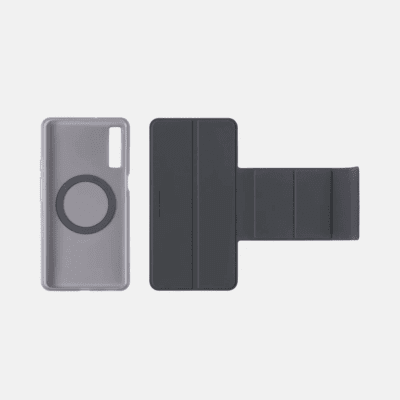
- Special Features: Detachable magnetic flap, integrated shortcuts
What’s Included
- BOOX Magnetic Keyboard Cover with Trackpad
- Detachable magnetic flap (on select versions)
- User guide and setup instructions
- Warranty information
Setup & Usage
Simple setup process for immediate productivity:
- Attach Device: Place your Note Max or Tab X C in the keyboard cover
- Align Connectors: Ensure pogo-pins align with device contact points
- Magnetic Closure: Close cover to activate magnetic connection
- Instant Activation: Keyboard activates automatically upon connection
- Start Typing: Begin working immediately with full functionality
Professional Advantages
- Laptop Replacement: Complete mobile workstation in one package
- Eye-Friendly Computing: E Ink display reduces digital eye strain
- Extended Battery Life: ePaper technology enables all-day use
- Distraction-Free Work: Focus on content without notifications
- Portable Productivity: Professional computing anywhere
Why Choose This Keyboard Cover?
This isn’t just an accessory—it’s a complete productivity transformation that turns your BOOX tablet into a professional workstation. The combination of pogo-pin connectivity, integrated trackpad, and distraction-free ePaper display creates the ultimate environment for focused, productive work.
Transform your BOOX Note Max or Tab X C into a complete productivity powerhouse with the Magnetic Keyboard Cover with Trackpad—where professional typing meets distraction-free focus.
FAQs
What is the BOOX Magnetic Keyboard Cover with Trackpad for Note Max & Tab X C used for?
This keyboard cover transforms your BOOX tablet into a laptop-like productivity workstation. It combines a full keyboard and trackpad for typing, navigation, and multitasking. It’s ideal for professionals, students, and writers who need focused workflows.
Does this keyboard require Bluetooth or charging?
No, it uses pogo-pin connectivity for instant connection without Bluetooth pairing or charging. The keyboard draws power directly from the tablet. This ensures a stable, lag-free experience.
Is the trackpad responsive and suitable for multitasking?
Yes, the built-in trackpad offers precise cursor control, multi-touch gestures, and smooth scrolling. It supports click functions and navigation across apps. This makes multitasking efficient and intuitive.
Which devices are compatible with this keyboard cover?
It is specifically designed for BOOX Note Max and BOOX Tab X C (13.3″ devices). The pogo-pin connectors align perfectly with these models. It may not work with other BOOX tablets.
Does the keyboard support multiple languages?
Yes, it supports up to 51 language layouts through the device’s software. You can easily switch between languages in settings. This makes it suitable for global users and multilingual workflows.
Is the keyboard comfortable for long typing sessions?
Absolutely, it features a full QWERTY layout with well-spaced keys for comfortable typing. It’s designed for extended writing sessions like reports, emails, and content creation. This enhances productivity without fatigue.
Does the keyboard cover protect the tablet?
Yes, it has a magnetic folio design that protects both the front and back of your device. The premium PU leather material resists scratches and fingerprints. It ensures durability during daily use and travel.
Can I use this keyboard for split-screen multitasking?
Yes, the keyboard is optimized for split-screen workflows on BOOX tablets. You can write notes while viewing documents or browse while typing. It’s perfect for research and professional tasks.
Is the keyboard cover portable and travel-friendly?
Yes, despite its full functionality, it remains relatively lightweight at around 618g. It combines portability with productivity features. It’s ideal for working on the go.
 No products in the cart.
Reviews
There are no reviews yet.