
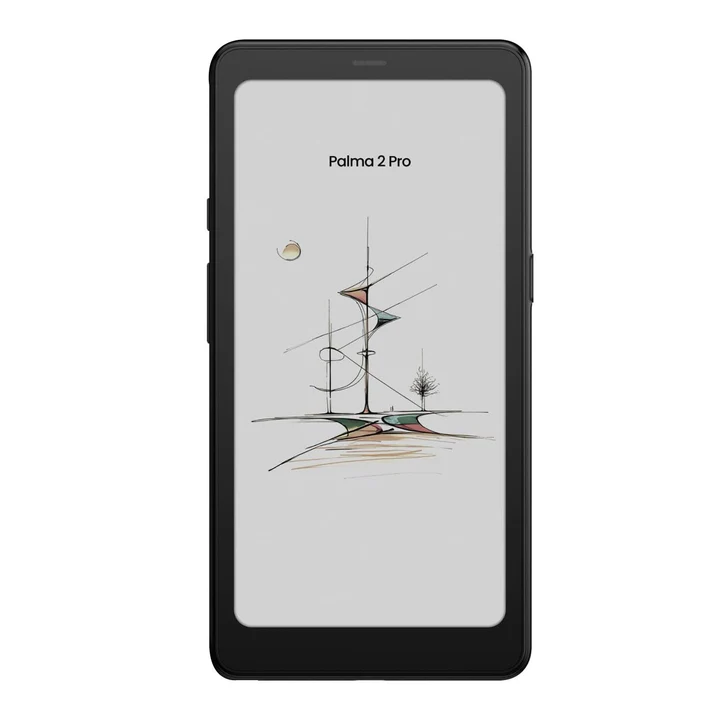
The Boox Palma 2 Pro is one of the most talked-about compact e-reader devices in New Zealand right now. With its smartphone-like design, vibrant color screen, and powerful Android 15 system, it looks very much like a modern mobile phone.
But one major question keeps coming up:
Does the Boox Palma 2 Pro support 5G data, SIM cards, and full mobile features?
If you’re considering this device for reading, productivity, or everyday use, this in-depth guide explains everything — from BOOX Palma 2 Pro specs and performance to its data support, refresh modes, stylus compatibility, and how it compares to other models.
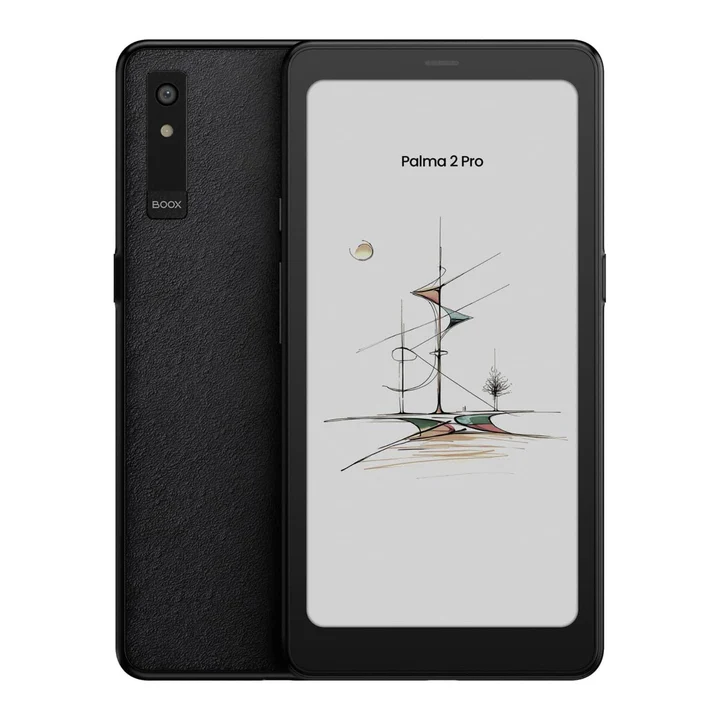
What Is the Boox Palma 2 Pro ereader ?
The boox palma 2 pro is a pocket-sized Android-powered color mobile ePaper device developed by Onyx. It combines the comfort of paper-like reading with modern smartphone-style functionality.
Unlike a regular phone, this device is built primarily for:
- Comfortable reading
- Viewing documents
- Managing digital content
- Installing productivity apps
- Distraction-free focus
You can explore the official NZ listing here:
👉 https://ereaders.co.nz/palma-2-pro/
👉 https://ereaders.co.nz/
Does the Boox Palma 2 Pro Support 5G Data or SIM Cards?
❌ No — There Is No 5G, SIM Slot, or Mobile Data Support
Despite its mobile-sized model, the palma 2 pro does not include:
- ❌ 5G
- ❌ 5G data
- ❌ Mobile data
- ❌ SIM slot
- ❌ SIM card support
There is no built-in sim capability, meaning you cannot insert a SIM card or use cellular networks directly.
✅ What It Does Support
- Wi-Fi connectivity
- Bluetooth pairing
- Google Play app downloads
- Cloud syncing via internet
This means you can access online content, podcasts, or email — but only via Wi-Fi, not mobile data.
Why No 5G?
E Ink devices are designed for:
- Lower power consumption
- Longer battery life
- Reduced heat
- Consistent performance
Adding 5G hardware would increase battery drain and go against the device’s core purpose — focused reading and productivity.
Display Technology: Kaleido 3 Color E-Ink Screen
One of the biggest upgrades in this model is the Kaleido 3 color E-Ink display.
The kaleido 3 color technology delivers:
- A softer, paper-like color display
- Enhanced readability in sunlight
- Lower eye strain compared to LCD
- Better visual experience for charts and images
Unlike traditional black-and-white e-readers, the color e-ink screen allows you to see highlights, diagrams, and book covers in color — while still keeping the natural paper feel.
For more about E Ink technology, visit:
👉 https://www.eink.com/
Color Quality Expectations
The actual color saturation is softer than a smartphone OLED display. This is normal for color e-ink display technology. It prioritizes readability and comfort over vivid brightness.
BOOX Palma 2 Pro Specs Overview
Here’s a simplified breakdown of the key BOOX Palma 2 Pro specs:
- 6-inch Kaleido 3 color screen
- Android 15
- Octa-core processor
- 6GB RAM (may differ by region)
- Internal storage
- Wi-Fi & Bluetooth
- USB-C charging
- Built-in speaker for sound
- Adjustable front light
The octa-core chipset ensures smoother app performance compared to older E Ink models.
Palma 2 Pro Android 15 & Google Play Support
The inclusion of android 15 is a major advantage.
You can:
- Install Kindle, Kobo, and other reading apps
- Download productivity tools
- Access email
- Listen to podcasts
- Install note-taking apps
- Use cloud storage apps
Because it supports Google Play, you’re not locked into a single ecosystem.
That flexibility makes it more than a simple e-reader — it’s a smart reading device.
Refresh Technology & Performance Modes
E Ink traditionally has slower refresh rates compared to LCD screens. However, the boox palma 2 pro includes multiple refresh mode options:
- Standard mode – best for reading text
- High refresh – smoother scrolling
- Super refresh – reduces ghost effect
- Optimized mode for images and quick navigation
These modes help reduce the common ghost effect (where previous page content faintly remains visible).
The refresh rate can be adjusted in the settings depending on what you’re doing — reading a book, browsing a page, or viewing an image.
Reading Experience: Paper-Like Comfort
The device is engineered to replicate the feel of reading on paper.
Key Reading Benefits
- Crisp, sharp text
- Consistent contrast
- Adjustable screen brightness
- Adjustable light temperature (warm to cool)
- Highly readable even in sunlight
The front light is fully adjustable, allowing you to change brightness and temperature depending on environment.
Unlike LCD screens, there’s no harsh glare.
Stylus & Note-Taking: BOOX InkSense Plus Support
The Palma 2 Pro is compatible with the BOOX InkSense Plus stylus (often sold separately).
The inksense plus stylus offers:
- Precise note-taking
- Smooth handwriting
- Magnetic attachment
- Low-latency writing
This makes it ideal for annotating documents, highlighting content, or creating quick notes directly on the device.
The boox inksense plus enhances productivity for students and professionals.
Storage, RAM & App Performance
With improved ram and internal storage, the device handles:
- PDF documents
- Multiple reading apps
- Productivity tools
- Quick switching between apps
While it’s not designed for heavy gaming or video streaming, the octa-core processor helps improve responsiveness.
Video playback is possible but not ideal due to E Ink limitations — it’s optimized for reading, not media consumption.
Boox Palma 2 Pro vs Palma 2
When comparing Palma 2 Pro vs Palma 2, the differences include:
| Feature | Palma 2 | Palma 2 Pro |
|---|---|---|
| Display | Black-and-white | Kaleido 3 color |
| Android | Older version | Android 15 |
| Performance | Standard | Improved |
| Stylus | Limited | InkSense Plus compatible |
The Pro model delivers improved color display technology, better app compatibility, and stronger performance.
Who Is the Boox Palma 2 Pro For?
Ideal For:
- Daily readers
- Students reviewing documents
- Professionals reading reports
- Travelers wanting lightweight reading
- Users wanting less screen strain
Not Ideal For:
- People needing 5G data
- Users requiring SIM card connectivity
- Heavy video consumers
Pros & Cons
Pros
- Kaleido 3 color display
- Android 15 flexibility
- Google Play support
- Excellent reading comfort
- Adjustable light settings
- Stylus compatible
- Compact mobile design
Cons
- No SIM slot
- No 5G or mobile data
- Slower than LCD for video
- Color softer than OLED
Frequently Asked Questions (FAQs)
1. Does the Boox Palma 2 Pro support 5G data?
No. It does not include 5G, SIM slot, or mobile data support.
2. Can I insert a SIM card?
No, there is no SIM card slot.
3. Is the color screen bright like a phone?
No. The color E-Ink screen is softer and optimized for reading comfort.
4. Can I install apps?
Yes, via Google Play.
5. Is the InkSense Plus stylus included?
It may be sold separately depending on the store.
6. Does it support video?
Yes, but the refresh rate is optimized for reading, not high-frame-rate video.
7. Is it good for note-taking?
Yes, especially when paired with the InkSense Plus stylus.
Final Verdict: Is the Boox Palma 2 Pro Worth It?
The Boox Palma 2 Pro is not a smartphone replacement. It does not offer 5G, SIM, or mobile data support.
But what it does deliver is powerful:
- Comfortable color E-Ink display
- Android 15 flexibility
- Google Play compatibility
- Adjustable front light
- Excellent reading performance
- Stylus note-taking support
For New Zealand readers and professionals who value clarity, portability, and eye comfort, the boox palma 2 pro is a smart investment.
If your goal is focused reading with mobile-style convenience — without distraction — this device fits perfectly.