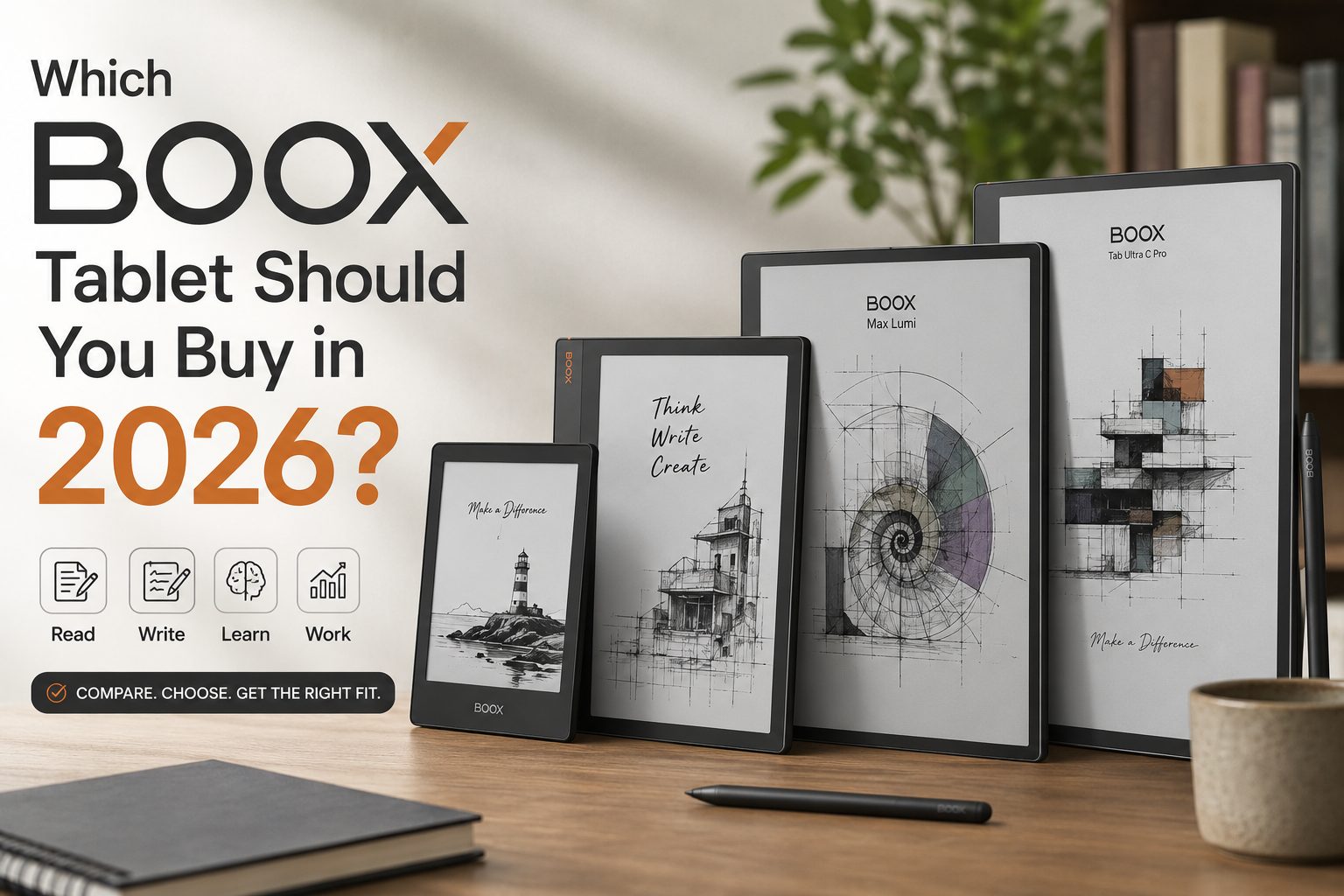
If you are searching for the best BOOX tablet, or wondering which eReader is worth buying in 2026, you are not alone. Premium E Ink tablets and distraction-free reading tools have changed how people read, study, take notes, and stay productive. Unlike a standard tablet, a BOOX device combines the comfort of paper with the flexibility of Android – so whether you want an ebook reader, a note-taking tablet, or an Android E Ink tablet for work and study, there is likely a model to suit you.
This guide compares the most popular BOOX devices to help New Zealand readers choose the right one. You can also browse the current line-up in the BOOX tablets collection.
Why BOOX Tablets Are So Popular
BOOX has become one of the strongest names in the eReader and E Ink note-taking market because its devices combine Android flexibility, E Ink comfort, stylus support, productivity tools, large-screen reading, and handwriting. Unlike many closed ecosystems, BOOX lets you install apps such as Kindle, Kobo, Libby, OneNote, Evernote, Google Drive, Pocket, and Audible – which makes it a powerful Kindle alternative and a genuine productivity device.
Key Benefits of a BOOX E Ink Tablet
Eye-friendly reading: a BOOX device uses E Ink instead of a bright LCD, for a paper-like experience that reduces eye fatigue during long sessions – popular with students, researchers, professionals, and manga and PDF readers.
Distraction-free focus: without the notifications and social feeds of a standard tablet, a BOOX helps you concentrate on reading, note-taking, and study.
Long battery life: most BOOX E Ink devices last days or even weeks on a single charge, depending on use.
Excellent PDF handling: the larger models are among the best tablets for reading PDFs, with roomy screens and good zoom and navigation tools.
BOOX Tablet Comparison Overview
| Model | Best For | Screen | Stylus | Key Strength |
|---|---|---|---|---|
| BOOX Palma 2 | Portable reading | 6.13 in | No | Pocket-sized Android eReader |
| BOOX Go 10.3 | Writing and productivity | 10.3 in | Yes | Lightweight digital paper tablet |
| BOOX Note Air4 C | Students and professionals | 10.3 in | Yes | Premium colour note-taking |
| BOOX Tab Ultra C Pro | Colour productivity | 10.3 in | Yes | Colour E Ink and multitasking |
| BOOX Page | Everyday reading | 7 in | No | Lightweight ebook reader |
BOOX Palma 2: Best Portable Reading Device
The BOOX Palma 2 is one of the most talked-about portable reading devices: it looks like a smartphone but works like a premium E Ink reader. It is ideal for commuters, casual readers, manga fans, and anyone who wants pocket portability – or who simply wants to swap phone scrolling for books.
Key features: a 6.13-inch E Ink display, Android with app support for Kindle, Kobo, Libby and more, a light and pocketable body, and fast refresh rates. Pros: extremely portable, comfortable one-handed reading, excellent battery life, and great for distraction-free reading. Cons: the small screen is less suited to PDFs, and there is no stylus support.
BOOX Go 10.3: Best Minimalist Productivity Tablet
The BOOX Go 10.3 is built for a clean, lightweight paper-tablet experience, combining reading, writing, annotation, and productivity without distractions. It is a favourite among university students, business users, writers, and researchers because it balances portability with real productivity.
Features: a 10.3-inch glare-free E Ink display, stylus support, a thin and light design, Android app compatibility, and split-screen multitasking. Pros: excellent handwriting feel, great for note-taking, light for travel, and ideal for PDF annotation. Cons: no colour display, and premium pricing.
BOOX Note Air4 C: Best All-Rounder for Students and Professionals
The BOOX Note Air4 C is one of the best premium Android E Ink tablets available, striking an ideal balance between reading, writing, productivity, and multitasking. Its large colour display makes it excellent for academic PDFs, research papers, lecture notes, and digital textbooks – for many people, the ultimate eReader for study.
Features: a 10.3-inch colour E Ink display, advanced stylus support, strong PDF tools, multi-window support, and cloud syncing. Pros: premium build, low writing latency, great PDF performance, and strong productivity features. Cons: a higher price point and a small learning curve for new users.
Should You Buy a Colour eReader?
The BOOX Tab Ultra C Pro offers colour E Ink, which is great for comics, manga, colour PDFs, web browsing, and highlighted notes. Keep in mind that colour E Ink screens can look slightly darker, with a little less contrast than black-and-white E Ink. If your focus is pure reading clarity, a monochrome BOOX may still be the better choice.
BOOX vs Kindle vs Kobo
| Feature | BOOX | Kindle |
|---|---|---|
| Android apps | Yes | Limited |
| Stylus support | Yes | Limited |
| Productivity | Excellent | Basic |
| PDF handling | Advanced | Moderate |
| Flexibility | High | Closed ecosystem |
BOOX is generally better for productivity, PDF reading, app flexibility, and note-taking, while Kindle remains strong for simplicity and Amazon ecosystem integration. Compared with Kobo, BOOX adds Android apps and far more advanced writing and productivity features, though a Kobo is a fine choice if you only want a simple ebook reader.
What to Consider Before Buying a BOOX Tablet
Screen size: 6 to 7 inches for novels and portability, 10.3 inches for PDFs and note-taking, and larger screens for technical documents.
Writing needs: if handwriting matters, look at the BOOX Go 10.3, Note Air4 C, or Tab Ultra C Pro.
Reading type: the Palma 2 suits novels, the Tab Ultra C Pro suits manga and colour, the Note Air4 C suits PDFs, and the Go 10.3 suits study notes.
Flexibility: because BOOX runs Android, you get multiple reading apps, cloud storage, productivity tools, and a browser – more freedom than most competing eReaders.
Are BOOX Tablets Worth Buying in 2026?
For many readers, students, and professionals, BOOX devices are among the best investments in productivity and digital reading. They combine paper-like comfort, modern Android flexibility, powerful note-taking, long battery life, and eye-friendly displays. If you spend hours reading, annotating PDFs, or managing study material, a BOOX reading tablet can genuinely improve your workflow. You can compare current models in the BOOX shop.
Frequently Asked Questions
What is the best BOOX tablet for students?
The BOOX Note Air4 C is one of the best choices for students because it handles PDFs, note-taking, and multitasking very well.
Is BOOX better than Kindle?
BOOX offers more flexibility, Android app support, and advanced productivity features. Kindle is simpler and more focused on Amazon books.
Which BOOX device is best for PDF reading?
The BOOX Note Air4 C and BOOX Go 10.3 are excellent for large PDFs thanks to their 10.3-inch displays.
Can BOOX tablets replace paper notebooks?
Yes. Many BOOX models work as a full digital paper tablet, with handwriting, annotation, and cloud syncing.
What is the best portable BOOX eReader?
The BOOX Palma 2 is one of the most portable options available today.
Are BOOX tablets good for manga and comics?
Yes, especially colour models like the BOOX Tab Ultra C Pro.
Can you install apps on BOOX devices?
Yes. BOOX devices run Android, so you can install reading and productivity apps through Google Play.
Final Verdict: Which BOOX Tablet Should You Buy?
The right BOOX tablet depends on how you plan to read and work:
- Choose the BOOX Palma 2 for portability and casual reading.
- Choose the BOOX Go 10.3 for minimalist productivity and note-taking.
- Choose the BOOX Note Air4 C for the best all-round balance of reading and productivity.
- Choose the BOOX Tab Ultra C Pro if colour content matters.
For readers in New Zealand who want premium E Ink tablets, BOOX remains one of the strongest choices in 2026. Browse the full range and current pricing at E-Readers NZ.