You settle in with a novel on your iPad. Ten minutes later, a message pops up. You check it, then the news, then you’re scrolling. An hour on, you’ve read three pages and your eyes feel tired.
If that sounds familiar, you’ve probably wondered about BOOX vs iPad for reading. Both can open the same books, PDFs and library loans. But they’re built for very different jobs, and that changes how reading actually feels.
BOOX vs iPad for Reading
This guide compares them honestly: where a BOOX is the better reading device, where an iPad still wins, and whether it’s worth adding a BOOX if you already own an iPad.
The short answer
For long reading sessions, novels, PDFs and reading outdoors, a BOOX is usually more comfortable and less distracting than an iPad. For colour comics, magazines, cookbooks and anything photo-heavy, the iPad is better. If you already own an iPad, a BOOX is worth adding mainly if you read for an hour or more at a time.
In short, the iPad is the better tablet. The BOOX is the better book.
The core difference: reflective E Ink vs a backlit screen
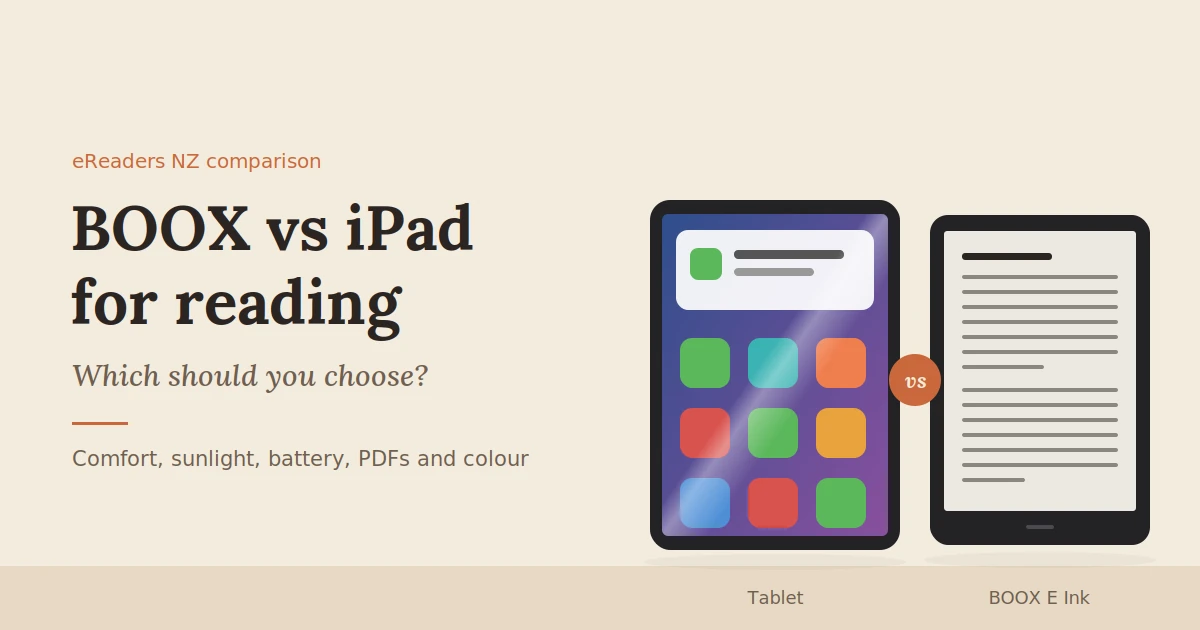
A BOOX uses an E Ink screen that reflects room light like paper. An iPad uses a bright, emissive screen that shines light out at your eyes: a backlit LCD on most models, OLED on the latest iPad Pro. That single difference drives most of what follows: comfort over long sessions, readability in sunlight, battery life and how distracting each device feels.
- E Ink (BOOX): reflective and matte, with an optional front light for reading in the dark. It’s easy to read in bright sun, the image doesn’t change between page turns, and it uses very little power.
- Backlit LCD (iPad): bright, sharp and colourful, with smooth animation and video. But it glares in sunlight, it’s bright in a dark bedroom, and it needs charging most days.
Research comparing the two has found E Ink causes visual fatigue similar to a printed book, while reading on an LCD tablet led to more fatigue and less blinking. We cover that study in more detail in our guide to eReaders and eye strain.
The trade-off is speed and colour. E Ink refreshes more slowly and shows softer colours, so it isn’t built for video, games or vivid images.
BOOX vs iPad: side-by-side comparison
The BOOX wins on reading comfort, sunlight, battery life, weight and focus. The iPad wins on colour, speed, apps and media. Prices overlap more than many people expect: a compact BOOX costs well under an iPad, while a large colour BOOX costs about the same.
| BOOX (E Ink) | iPad | |
|---|---|---|
| Screen type | Reflective E Ink, matte | Backlit LCD (OLED on iPad Pro), glossy |
| Reading in bright sun | Easy, like paper | Glare and washout |
| Reading in the dark | Warm, adjustable front light | Bright screen, with Night Shift to warm it |
| Colour | None, or soft colour on Kaleido models | Full, vivid colour |
| Page turns and scrolling | Slower refresh | Instant and smooth |
| Battery life | Days to weeks, depending on use | Typically about a day of use |
| Weight | About 150–200 g (6–7″), 370–450 g (10″) | About 290 g (mini) to 480 g (11″) |
| Distractions | Few, by design | Notifications, video and games |
| Reading apps | Kindle, Kobo, Libby, Google Play Books and more (Android models) | Kindle, Kobo, Libby, Apple Books and more |
| Handwritten notes | Built in on pen models | With an Apple Pencil, sold separately |
| NZ price | From about $320 (Go 6) to around $800+ (10″ and colour models) | From about $860 (iPad) and $940 (iPad mini) |
Prices are approximate at the time of writing and vary by retailer, storage size and sales.
Where BOOX wins for reading
A BOOX is the better choice when reading is the main event: long sessions, outdoor reading, reading in bed and reading without interruptions. It’s lighter to hold for an hour, rarely needs charging, and doesn’t tempt you away from the page.
Long reading sessions
This is the biggest difference. An E Ink screen looks and behaves like a printed page, with no backlight shining at you. Many readers find they can read for hours on a BOOX in a way they simply don’t on an iPad.
Reading outside
Take an iPad to the beach or the deck on a sunny Kiwi afternoon and you’ll be squinting through glare and turning the brightness up to full. E Ink is the opposite: the brighter the light, the clearer the page.
Focus
A BOOX can run apps, but it isn’t built for video, games or endless scrolling, and that’s the point. Without the constant pull of notifications, it’s easier to read a chapter rather than a paragraph.
Battery and weight
A BOOX can go days or weeks between charges, depending on how much you use the front light, Wi-Fi and apps. A compact 6- or 7-inch model weighs around 150–200 g, about half an iPad mini, which matters when you’re holding it up in bed.
Where the iPad wins
The iPad is better for anything where colour, images or speed matter: comics, magazines, cookbooks, children’s picture books and illustrated textbooks. It’s also the better all-round device, and the only one that can read books bought through Apple Books.
Colour and images
Even the best colour E Ink screens show softer, less saturated colour than an iPad. For a graphic novel, a glossy magazine or a recipe book full of photos, the iPad simply looks better.
Speed and everything else
The iPad turns pages instantly, scrolls smoothly and runs video, games and creative apps. If you want one device for reading, browsing, streaming and work, it’s the more flexible choice.
Apple Books
Books bought in Apple Books can only be read on Apple devices. Most BOOX devices run Android, so they can’t open your Apple Books library. If you’ve built a large collection there, factor that in. Kindle, Kobo and Libby, on the other hand, work on both.
What about PDFs, textbooks and note-taking?
Both handle PDFs and handwritten notes well, in different ways. A 10-inch BOOX is more comfortable for reading long PDFs and feels more like writing on paper. An iPad with an Apple Pencil is faster and handles colour diagrams better, but costs more once you add the pencil.
- Reading long PDFs. A 10-inch BOOX shows an A4 page at a readable size, and it’s easier on the eyes over a long study session.
- Colour diagrams and charts. The iPad wins here. Colour coding, graphs and medical or engineering diagrams look much clearer.
- Handwriting. Writing on E Ink has a paper-like texture that many students prefer. The iPad and Apple Pencil feel smoother and faster but more like writing on glass.
- Cost. BOOX pen models are built for handwriting from the start. On an iPad, an Apple Pencil is an extra purchase on top of the tablet.
For students reading hundreds of pages of PDFs a semester, a BOOX often makes the reading part noticeably more comfortable. For subjects heavy on colour diagrams, the iPad is usually the better fit.
Which should you choose? By reading style
Choose by what you read most. Novels and long-form reading point to a BOOX. Colour-heavy reading points to an iPad. Students and PDF readers usually do best with a 10-inch BOOX, unless their material relies on colour diagrams.
| If you mostly read… | Better choice | Why |
|---|---|---|
| Novels and non-fiction | BOOX (6–7″) | Comfortable for hours, light and long battery life |
| University readings and PDFs | BOOX (10″) | A4 pages at a readable size, with paper-like notes |
| Comics and graphic novels | iPad | Vivid colour and detail |
| Manga | BOOX or iPad | Black-and-white manga works well on a BOOX; colour pages look better on an iPad |
| Magazines and cookbooks | iPad | Photos and layouts need colour |
| In bed before sleep | BOOX | Warm, dim front light and no notifications |
| Outdoors, beach or bach | BOOX | Readable in bright sun |
| A bit of everything, plus video | iPad | One device for all of it |
Can you use both?
Yes, and many readers do. A common setup is a BOOX for books, PDFs and notes, and an iPad for comics, magazines, video and everything else. Because Kindle, Kobo and Libby run on both, your library and reading progress can follow you between them.
How it works in practice:
- Same apps, same library. Sign in to the Kindle, Kobo or Libby app on both devices and your books appear on each.
- Reading progress syncs. Start a chapter on the iPad on the bus and finish it on the BOOX in bed. Most reading apps remember where you’re up to.
- Library loans work on both. Many NZ public libraries lend eBooks through Libby or BorrowBox, and both apps can be installed on Android-based BOOX models and on iPad.
- Notes stay organised. Handwritten BOOX notes can be exported as PDFs or synced to cloud storage, then opened on the iPad.
If you already own an iPad, adding a compact BOOX is often the most cost-effective upgrade to your reading. It costs less than a new iPad and covers the part of reading the iPad does least well.
FAQs
Is a BOOX better than an iPad for reading?
For long reading sessions, novels, PDFs and reading outdoors, generally yes. A BOOX’s E Ink screen is more comfortable over time, easier to read in sunlight and far less distracting. For colour comics, magazines and photo-heavy books, the iPad is better.
Is reading on an iPad bad for your eyes?
It isn’t harmful, but many people find long sessions on a bright, backlit screen more tiring. Research has found readers on an LCD tablet blinked less and reported more fatigue than with E Ink or paper. Taking breaks and lowering brightness helps.
Can I read my Kindle books on a BOOX?
Yes. Android-based BOOX models can install the Kindle app from Google Play. Sign in with your Amazon account and your Kindle library appears, just as it does on an iPad.
Can I use Apple Books on a BOOX?
No. Apple Books only runs on Apple devices, and most BOOX models run Android. Books bought through Apple Books can’t be opened on a BOOX, so keep reading those on your iPad or iPhone.
Is a BOOX worth it if I already have an iPad?
If you read for an hour or more at a time, read outdoors, or get distracted reading on your iPad, a BOOX is usually worth it. If you mostly read colour comics or magazines, your iPad is probably enough.
Which is better for reading PDFs, BOOX or iPad?
For long, text-heavy PDFs, a 10-inch BOOX is generally more comfortable. For PDFs with lots of colour diagrams, or when you need speed, the iPad is better. Both let you highlight and write notes.
Find the right reading device for you
The iPad is a brilliant all-rounder. But if most of your screen time is reading, a BOOX gives you something an iPad can’t: a page that feels like paper, a battery that lasts for days and the quiet to finish a chapter.
Explore BOOX eReaders and E Ink tablets at eReaders NZ, from pocket-sized readers to 10-inch tablets for study. Already have an iPad and not sure which BOOX would complement it? Get in touch with our New Zealand team and we’ll help you choose.