You meant to read one chapter on your phone before bed. An hour later, your eyes feel dry and gritty, and the words have started to swim. If that sounds familiar, you’ve probably wondered whether a dedicated eReader would be any different.
So, do eReaders cause eye strain? Usually less than a phone or tablet, but they don’t make it disappear. E Ink screens remove some of the main causes of screen fatigue. Others come from the act of reading itself, on any surface.
Do eReaders Cause Eye Strain
This guide explains what actually causes eye strain, what the research says about E Ink, and the settings and habits that make long reading sessions more comfortable.
The short answer
eReaders with E Ink screens usually cause less eye strain than phones or tablets, because they reflect light like paper instead of shining it at your eyes. They can still tire your eyes during long sessions, though, because focusing up close and blinking less happen whenever you read, on paper or a screen.
In short, an eReader makes the screen more comfortable. Your habits take care of the rest.
What causes eye strain when you read on a screen
Eye strain from reading usually comes from three things: focusing up close for a long time, blinking less while you concentrate, and the screen itself, through glare, brightness and flicker. The first two happen with any reading. Only the third depends on the type of screen.
Close focus for long periods
When you look at something nearby, small muscles inside your eye work to keep it in focus. Hold that effort for an hour and those muscles tire, just like any other muscle. That’s why your eyes can feel heavy after a long session with a paperback, too.
Blinking less
When you concentrate on a screen or a page, you blink less often, and many blinks are incomplete. Each blink spreads a fresh layer of tears across your eyes, so fewer blinks mean drier, more irritated eyes. Air conditioning, heat pumps and wind make it worse.
Glare, brightness and flicker
This is where screens differ:
- Glare. Glossy screens reflect lamps, windows and sunlight, so your eyes work harder to pick out the text.
- Brightness mismatch. A bright screen in a dim room forces your eyes to constantly adjust between the two.
- Flicker. Some backlit screens dim themselves by switching the light on and off very quickly. Most people don’t notice it, but some sensitive readers report discomfort or headaches.
Why E Ink is easier on your eyes
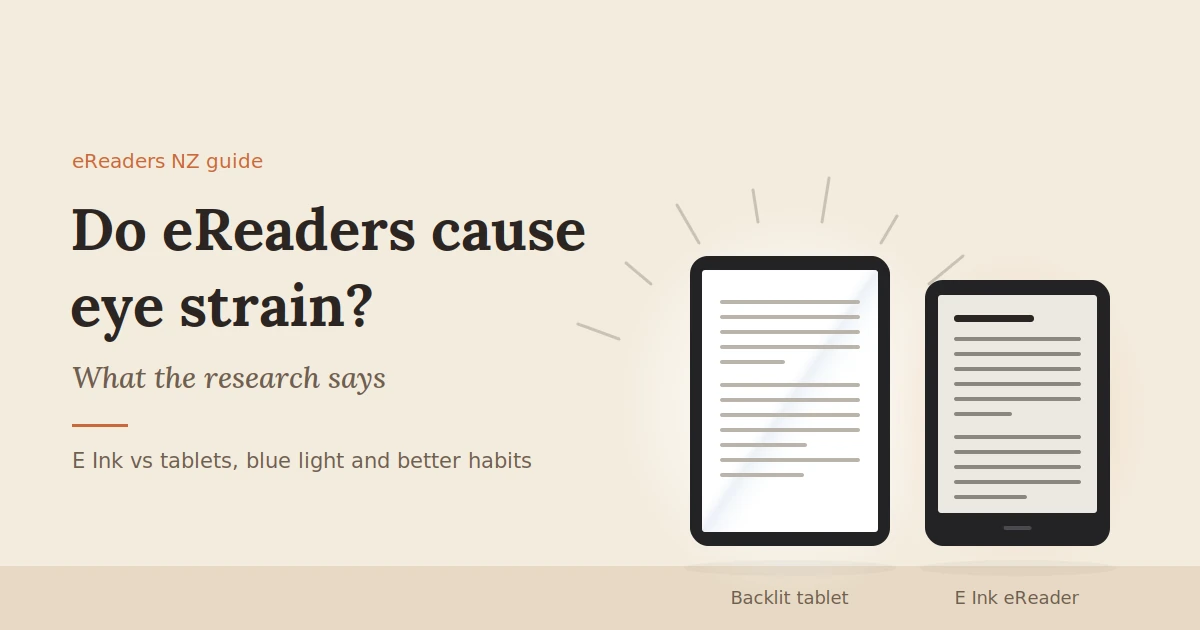
E Ink screens are reflective. Like paper, they bounce room light back to your eyes instead of shining light out of the screen. That removes backlight glare, cuts the brightness mismatch in dim rooms, and avoids backlight flicker. Research comparing E Ink with paper has found little difference in visual fatigue.
Here’s what makes E Ink different:
- No backlight shining at you. When you read in the dark, a front light washes across the surface of the screen rather than through it, much like a reading lamp over a page.
- No refresh flicker on a still page. E Ink only changes when you turn the page. Between page turns, the image simply sits there, like ink on paper.
- A matte surface. Most E Ink screens have a non-glossy finish that reflects far less glare from lamps and windows.
- Better in bright light, not worse. Like a printed page, E Ink becomes easier to read in strong sunlight, while phone screens wash out.
What the research says
A 2013 study published in PLOS ONE compared reading on an E Ink eReader, an LCD tablet and a printed book across several long reading sessions. Readers using the LCD tablet blinked less and reported more visual fatigue. The E Ink reader and the printed book showed no meaningful difference, which led the researchers to conclude that, for visual fatigue, E Ink is very similar to paper.
That’s encouraging, but it’s one study with a small group of 12 participants, and the devices tested are now more than a decade old. Treat it as a strong pointer, not the final word.
eReader vs phone vs tablet vs paper: which is easiest on your eyes?
For long reading sessions, an E Ink eReader and a printed book are generally the most comfortable options. Phones and tablets are fine for shorter sessions, but their backlit, glossy screens add glare and brightness strain. An eReader’s main edge over paper is adjustable text size and built-in lighting.
| E Ink eReader | Phone | Tablet | Printed book | |
|---|---|---|---|---|
| Light source | Reflected room light, plus a front light | Backlight shining at you | Backlight shining at you | Reflected room light |
| Glare | Low, matte screen | Often high, glossy screen | Often high, glossy screen | Low |
| Flicker | None from the display on a still page | Possible at low brightness on some models | Possible at low brightness on some models | None |
| Text size | Fully adjustable | Adjustable, but small screen | Adjustable | Fixed |
| Bright sunlight | Easy to read | Washes out | Washes out | Easy to read |
| Reading in the dark | Front light, often with warm tones | Bright screen in a dark room | Bright screen in a dark room | Needs a lamp |
| Distractions | Few | Many | Many | None |
| Best for | Long reading sessions | Quick reading on the go | Colour, video and apps | Long sessions with good light |
When an eReader can still cause eye strain
An eReader can still tire your eyes if the text is too small, the front light doesn’t suit the room, or you read for hours without a break. Using an Android E Ink tablet for scrolling-heavy apps can also feel more tiring than reading a book. Most of these are easy to fix.
- Text that’s too small. If you’re squinting or holding the device close, your eyes are working harder than they need to. Go up a size or two.
- A front light that doesn’t match the room. Too bright in a dark bedroom and you’re back to a glowing screen. Too dim and you’ll strain to see the text.
- Marathon sessions. A great book can keep you reading for three hours straight. Your eyes still need breaks, however comfortable the screen.
- Scrolling and fast refresh. Android E Ink tablets can run web browsers and apps, using faster refresh modes that add some ghosting and visual noise. They’re comfortable for reading pages but less so for long scrolling sessions.
- Uncorrected vision. If you need reading glasses or an updated prescription, no screen will fully fix the strain.
What about blue light?
According to the American Academy of Ophthalmology, there’s no scientific evidence that blue light from screens damages your eyes. The bigger concern is sleep: bright, blue-rich light late at night can make it harder to fall asleep. An eReader’s warm front light helps with that.
A few things worth knowing:
- The sun is the biggest source of blue light. You get far more from a day outdoors than from any screen.
- Eye strain isn’t caused by blue light. It comes mainly from how we use screens: focusing up close and blinking less. That’s why the Academy doesn’t recommend blue-light-blocking glasses for screen use.
- Sleep is where it matters. Blue-rich light in the evening can suppress melatonin, the hormone that helps you feel sleepy.
An E Ink eReader with no front light on gives off no light of its own, just like paper. When you do use the front light, many models let you shift it towards warm, amber tones. For bedtime reading, a warm, dim light is more comfortable and less likely to keep you awake than a phone screen.
Settings and habits that reduce eye strain
The most effective fixes are simple: take regular breaks, make the text bigger than you think you need, match the front light to the room, and hold the device at a relaxed distance. These help on any screen, and they make a good eReader even more comfortable.
The 20-20-20 rule
Every 20 minutes, look at something about 20 feet (6 metres) away for 20 seconds. It gives your focusing muscles a rest. Looking out a window works well. A natural moment is at the end of a chapter, or every few page turns.
While you’re at it, blink fully a few times. It spreads fresh tears across your eyes.
Text size, font and contrast
- Go up a size. If you’re holding the eReader closer than a comfortable book distance, the text is too small.
- Choose a clear font. Simple serif or sans-serif fonts with moderate weight are easiest to read. Many eReaders let you increase font weight, which darkens thin text.
- Use bold or contrast settings. If text looks faint, increasing boldness or contrast helps, especially on older screens.
This matters more after 40, when focusing up close naturally gets harder. Adjustable text is one of an eReader’s biggest advantages over a printed book.
Match the front light to the room
- In daylight: turn the front light off or very low. E Ink reads best with room light.
- In a dim room: use just enough front light to read comfortably, with no glow around the text.
- At night: shift the light warm and keep it low.
Distance and posture
Hold your eReader at roughly the distance you’d hold a book, usually around 35 to 45 centimetres. Support it on a cushion or stand rather than holding it up close to your face, and sit somewhere with good, even lighting.
Are eReaders better for kids’ eyes?
For reading, an E Ink eReader is generally more comfortable for children than a tablet, with less glare and far fewer distractions. But no screen replaces time outdoors, which eye-health researchers link to healthier vision development in children. Use an eReader for reading, not as a reason to stay inside.
What an eReader does well for kids:
- It’s a book, not an entertainment device. No videos, games or notifications pulling them away, especially on simpler reading-focused models.
- Adjustable text helps early and reluctant readers.
- A warm front light suits bedtime reading better than a bright tablet.
What it doesn’t change:
- Close focus is still close focus. Kids need breaks from reading too, whether it’s a screen or a paperback.
- Outdoor time still matters. Daylight and looking into the distance are both thought to support healthy eye development, so balance reading time with time outside.
If your child complains of headaches, rubs their eyes a lot or holds books very close, book an eye exam.
When to see an optometrist
If your eyes still feel strained after you’ve adjusted your settings and taken regular breaks, see an optometrist. Uncorrected vision, such as needing reading glasses or an updated prescription, is a common cause of reading strain that no screen can fix.
Book an eye exam if you notice:
- Eye strain or headaches that keep coming back
- Blurred or double vision
- Needing to hold text further away than you used to
- Dry, gritty or watery eyes that don’t settle with breaks
Seek prompt care for eye pain, sudden changes in vision, flashes of light or new floaters. Those aren’t eye strain.
FAQs
Are eReaders better for your eyes than a tablet?
For long reading sessions, generally yes. E Ink screens reflect light like paper rather than shining it at you, with less glare and no backlight. A 2013 study found readers using an LCD tablet blinked less and reported more fatigue than with an E Ink reader or a printed book.
Is reading on a Kindle or BOOX bad for your eyes?
No more than reading a printed book, according to the research available. Both use E Ink screens. Long sessions can still tire your eyes, so take breaks and set the text size and front light to suit you.
Do eReaders have blue light?
An eReader with the front light off gives off no light of its own. With the front light on, it emits some light, including blue. Many models let you warm the light for evening reading. Screen blue light isn’t shown to damage eyes, but it can affect sleep.
Can you read an eReader in the dark?
Yes, if it has a front light, which most current models do. Keep the light low and warm in a dark room, so the screen doesn’t glow much brighter than its surroundings.
Is E Ink as good as paper for your eyes?
Research suggests it’s very similar. In the 2013 PLOS ONE study, there was no meaningful difference in visual fatigue between E Ink and a printed book. E Ink also lets you enlarge the text, which paper can’t.
Why do my eyes still hurt when I use my eReader?
Common causes are text that’s too small, a front light that doesn’t suit the room, long sessions without breaks and blinking less while you read. If changing those doesn’t help, see an optometrist, as you may need glasses or an updated prescription.
Read for longer, more comfortably
An eReader won’t change how your eyes focus, but it does take the glare, glow and distractions out of reading. Pair it with good habits and you’ll likely find long sessions far more comfortable than on a phone or tablet.
Explore BOOX eReaders and E Ink tablets at eReaders NZ, from compact readers to 10-inch screens with larger text. Not sure which suits your eyes and reading habits? Get in touch with our New Zealand team and we’ll help you choose.